Username Ideas With Your Name for PUBG Mobile and BGMI
Your name is the one thing you never have to explain to yourself, and that makes it the strongest starting point for any in-game identity. We’ve spent years helping PUBG Mobile and BGMI players build usernames that feel personal, and the ones built around a real name always carry more weight. A name you already answer to is easier to remember, easier for friends to recognize, and far less likely to be abandoned after a week. If you’re looking for username ideas with your name, you’re already ahead of most players.
Key takeaways
- Start with your real name, nickname, or initials, then layer in numbers, hobbies, or wordplay that mean something to you.
- Keep it readable: one or two symbols max, no emoji, and test how it renders in the kill feed before you commit.
- PUBG Mobile and BGMI cap usernames at 14 characters, so plan around that limit from the start.
- A name-based username is easier to keep consistent across games and platforms, which helps friends find you.
- Use a pubg name generator to preview styles and filter out banned characters before you spend a rename card.
When you build a username around your own name, you’re not inventing a persona from scratch. You’re taking something familiar and making it yours in a new space. That matters more than most players realize. In a lobby full of random tags and generated handles, a name like ArjunPlays or MayaSniper reads as a person, not a placeholder. It gives teammates something to call you that feels natural, and it gives opponents a name that sticks in their memory after the match ends.
There’s also a practical side. A name-based username is easier to keep consistent across multiple games and platforms, which helps if you ever want to build a small following or just keep your friends from losing track of you. We’ve seen players try to reinvent themselves with every new season, and it rarely works. The ones who keep a thread of their real name in the handle are the ones people remember.
That’s where pubg name generator comes in. We built it to take the name you already have and help you shape it into something that feels stylish without losing that personal core. You can add symbols, tweak the font, or test how your name looks with different suffixes before you commit. The goal isn’t to replace your name with something random. It’s to make your name the foundation of a username you’ll actually want to keep.
Think of it this way: a username built on your name is a small act of self-respect in a game where you spend hours building skills and reputation. It says you’re not hiding behind a throwaway tag. It says this is me, and I’m here to play. That confidence shows up in how you carry yourself in the lobby, and honestly, it makes the whole experience more fun.
How to Brainstorm Username Ideas With Your Name
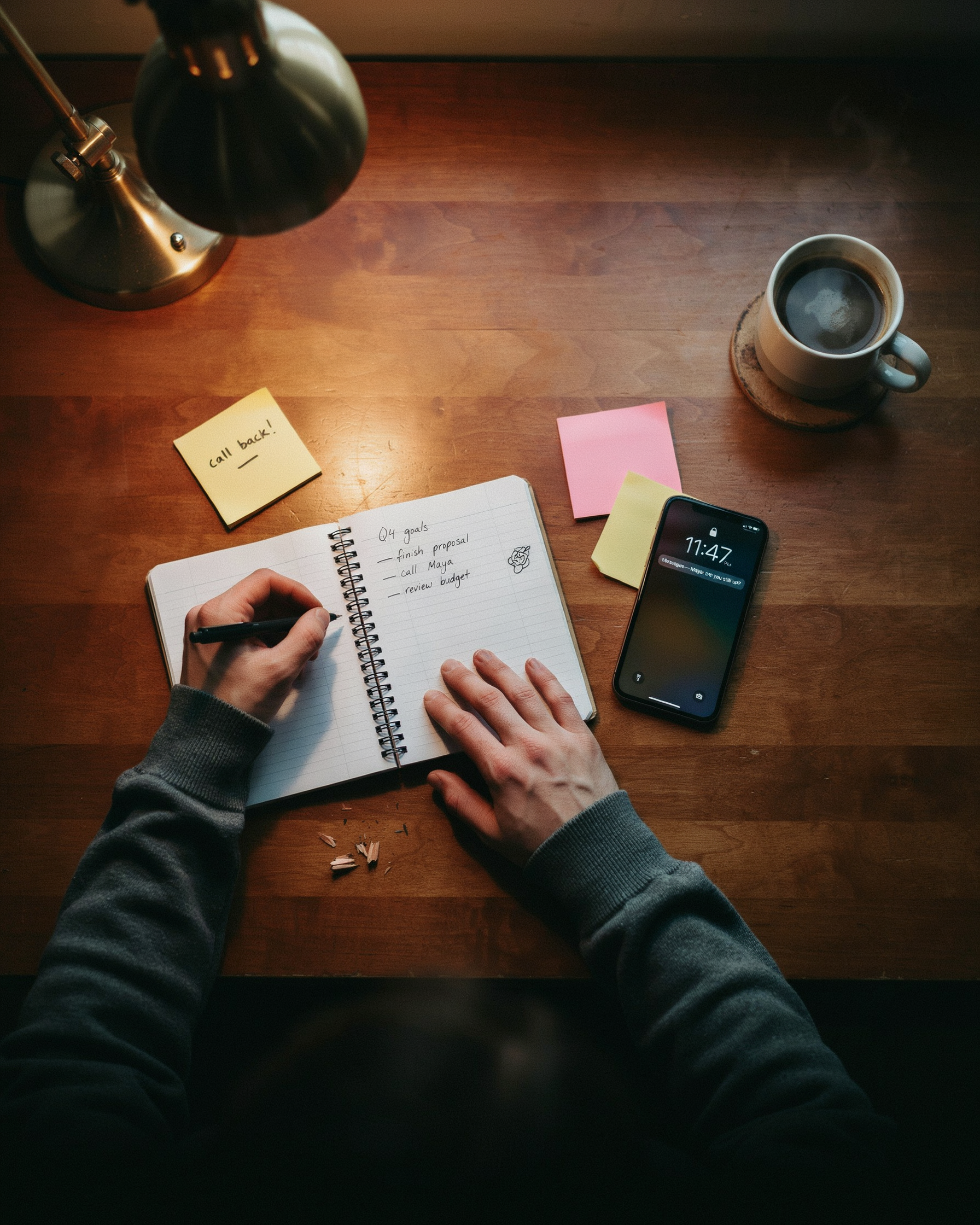
When I sit down to brainstorm username ideas with your name, I always start with a blank page and a timer set for ten minutes. The goal isn’t to find the perfect name right away; it’s to generate as many raw options as possible without judging them. I write down my first name, my last name, my initials, nicknames my friends actually use, and even the name my family calls me when no one else is around. Each variation becomes a seed for something bigger.
Next, I add numbers that carry meaning. A birth year, a lucky number, or a jersey number from a favorite player all work better than random digits. If my name is Arjun and I was born in 2005, I might write Arjun05, Arjun_2005, or Arjun5ive. The number should feel like part of the name, not an afterthought. I also try swapping letters for numbers that look similar, like a 3 for an E or a 0 for an O, but only when it still reads cleanly.
Then I layer in hobbies and favorite characters. I ask myself what I actually do when I’m not playing: do I cook, skate, draw, or follow a specific anime? Combining a name with a passion creates a username that tells a story. ArjunSkates or ArjunDraws feels more personal than Arjun12345. I also borrow from characters I love, but I keep it subtle: ArjunKage nods to a shadow archetype without copying a full name.
Finally, I test for uniqueness. I search the name on the platform where I’ll use it, and I also run it through a pubg name generator to see if a tool can surface a variation I hadn’t considered. If the name is taken, I don’t panic; I go back to my list and swap one element, like changing the number or adding an underscore. The best usernames feel inevitable, like they were always yours.
Adding Style: Symbols, Fonts, and Special Characters
Once you have a name-based foundation, the next step is making it visually distinct. Symbols like stars, arrows, and hearts can turn a plain username into something that stands out in the kill feed, but not every character is allowed in PUBG Mobile and BGMI. Both games support a limited set of Unicode symbols and special characters, and using unsupported ones can cause your name to display incorrectly or get rejected during the rename process.
We’ve found that the safest approach is to stick with characters that the game client already renders properly. Common choices include the star (★), the heart (♥), the crown (♛), and the arrow (➤). These work well when placed before or after your name, like ★ShadowHunter or ♛Riya♛. Avoid emoji, which aren’t supported in PUBG Mobile or BGMI usernames, and steer clear of overly complex Unicode blocks that may show as blank squares on other players’ screens.
Fonts are another layer. Unicode font generators convert standard letters into stylized equivalents, such as bold script, cursive, or small caps. These aren’t actual font files but rather characters from Unicode’s mathematical alphanumeric symbols and other ranges. Because they’re still valid text characters, they pass the game’s name filter while looking completely different from a default username. For example, “ShadowHunter” can become “𝕊𝕙𝕒𝕕𝕠𝕨ℍ𝕦𝕟𝕥𝕖𝕣” or “ꜱʜᴀᴅᴏᴡʜᴜɴᴛᴇʀ”.
The catch is that manually copying these characters from scattered sources is tedious and error-prone. That’s where pubg name generator earns its place in our workflow. It bundles symbols, fonts, and special characters into a single interface, so we can type our base name, preview different styles, and copy the finished result with one tap. Everything is already formatted for PUBG Mobile and BGMI, which removes the guesswork about what the game will accept.
When combining symbols and fonts, less is usually more. One or two well-placed symbols around a stylized name reads as intentional; five different symbols crammed around every letter looks cluttered and can make your name harder to remember. We recommend picking one font style and one symbol type, then testing the result in a custom room before committing your rename card. For a full list of supported symbols, check our symbols page.
Username Ideas With Your Name: Real Examples
We’ve tested hundreds of name transformations on PUBG Mobile and BGMI, and the best ones share a pattern: keep your name recognizable, then layer in one style element that fits your play personality. Below are real examples for four common names, each with a symbol version, a number version, and a wordplay version. Copy any of these directly into your game profile, or use them as a template for your own name.
| Base Name | Symbol Style | Number Style | Wordplay Style |
|---|---|---|---|
| Alex | ꧁༺Alex༻꧂ | Alex_07 | AlexTheSniper |
| Sam | ꧁Sam꧂ | Sam_99 | SamuraiSam |
| Priya | ꧁ঔৣPriyaঔৣ꧂ | Priya_21 | PriyaPlays |
| Rahul | ꧁༒Rahul༒꧂ | Rahul_007 | RahulTheRusher |
When you use a pubg name generator, you can preview how these symbols render in the game’s font before you commit. We’ve seen players lose a stylish name because a character displayed as a blank box in the lobby. Test first, then lock it in.
For a name like Alex, the symbol style works best if you keep the base name clean and let the decorative brackets do the work. The number style feels natural when the digits mean something to you, like a birth year or a lucky squad number. The wordplay style is strongest when the added word matches your actual play style: a sniper who camps shouldn’t call themselves AlexTheRusher.
If your name is longer, like Priya or Rahul, shorter symbol frames often look better because the full name already fills the character limit. We also recommend checking how the name appears in the kill feed, not just the profile screen. Some symbols are invisible in the kill feed, which defeats the purpose of a stylish name. You can find more ready-made examples on our name ideas page.
Avoiding Common Username Mistakes
We’ve all seen usernames that look like a keyboard sneeze. Too many symbols, random numbers, and mixed fonts can turn a clean name into an unreadable mess. The first rule is simple: if a teammate can’t type your name quickly in a squad invite, it’s already too complicated. Stick to one or two special characters at most, and place them where they add style without breaking the flow. For example, Jøhn works, but J̸ø̸h̸n̸ is a nightmare to search.
Offensive terms are another trap. PUBG Mobile and BGMI have active moderation systems, and a name that gets reported can lead to a forced rename or even a temporary ban. Even if a word seems edgy to you, it might read as harassment to someone else. Keep it clean, and your account stays safe. The same goes for impersonating famous players or using brand names, which can confuse other players and violate platform rules.
Readability also matters when you share your name on social media or in a Discord server. A name like Xx_D4rk_Sl4y3r_xX looks dated and is hard to remember. Instead, aim for something you can say out loud without spelling it letter by letter. If you’re stuck, a pubg name generator can help you test variations that stay clean and readable. The goal is a name that feels personal, not like a captcha.
Finally, avoid locking yourself into a name that will embarrass you in six months. Trends fade, but your username follows you across matches and leaderboards. Choose something that reflects your actual name or a stable interest, not a meme that will feel stale by next season.
Platform-Specific Tips for PUBG Mobile and BGMI
PUBG Mobile and BGMI share the same core naming system, but the details matter more than most players realize. Both games cap usernames at 14 characters, and that includes any symbols or spaces you add. If you try to paste a long stylish name with multiple decorative characters, the game simply cuts it off, often leaving you with a broken-looking tag. We learned this the hard way when a friend tried to use a 20-character name with two invisible characters and ended up with half a symbol at the end.
Banned symbols are the biggest source of frustration. PUBG Mobile and BGMI block most Unicode symbols that aren’t part of the standard Latin, Cyrillic, or a small set of allowed special characters. Things like emoji, arrows, and many fancy Unicode fonts are rejected outright. The game also blocks names that contain profanity, hate speech, or anything that mimics official PUBG or BGMI staff tags. If you try to use a name like “PUBG_Admin” or “BGMI_Mod”, the system will refuse it. A pubg name generator that’s built specifically for these games filters out banned symbols before you copy the name, which saves you from trial and error.
Before you commit to a username, test it in a practice lobby or with a friend. You can also create a temporary account to see how the name renders in the kill feed and on the leaderboard. Some symbols look fine in the name-change screen but appear as blank boxes or question marks in-game. We always recommend testing with the exact name you plan to use, including any invisible characters, because those can shift the visual alignment of your name in ways you don’t expect.
One more thing: BGMI has stricter regional naming rules than PUBG Mobile in some regions. If you play both games, check that your chosen name works on both before you spend UC or BP on a rename card. A generator that understands both platforms, like pubgnamegenerator.net, gives you names that pass the filters on the first try, so you don’t waste rename cards or end up with a name you hate. For more on how the generator handles these rules, see our explainer on how it works.
Making Your Username Memorable and Unique
We all know the feeling: you drop into Erangel, get a kill, and your name flashes across the kill feed. If it reads like a random string of numbers, nobody remembers you. But when your name has rhythm, a clever twist, or a clan tag that ties it together, players start recognizing you before the next circle closes. That recognition is what makes a username stick.
Alliteration is one of the easiest tricks. Pair your name with a power word that starts with the same sound: RuthlessRahul, SilentSara, BlazingBilal. The repeated consonant makes the name roll off the tongue, and it looks sharp in the lobby list. Rhyming works too, though it takes a bit more effort: JakeTheSnake, MiaTheFear. If your name doesn’t rhyme naturally, try a near rhyme or a playful suffix.
Power words do heavy lifting. Words like Venom, Phantom, Reaper, Storm, or Ghost instantly signal a threat. Combine one with your name and you get VenomVikram or PhantomPriya. A clan tag in front, like [ACE] or [X], adds a layer of identity and makes you look like part of a squad even when you’re solo queuing. Just keep the tag short so it doesn’t eat into the character limit.
Standing out in the kill feed is about brevity and impact. A name that’s too long gets cut off on mobile screens. Aim for 12 to 15 characters total, including the clan tag. And avoid overused words like Pro, YT, or King unless you pair them with something unexpected. KingKaran blends in; KaranTheKraken gets a second look.
Finally, test your name out loud. Say it like a caster would after a clutch play. If it sounds awkward or hard to pronounce, teammates will shorten it to something you didn’t choose. A memorable username is one that feels natural to shout across voice chat, and that’s exactly what pubg name generator helps you refine when you’re stuck on the last syllable.
Using Your Name Across Different Games and Platforms
Keeping the same name across PUBG Mobile, BGMI, and other games makes you instantly recognizable to friends and rivals. Start with your core name, then adapt it to each platform’s rules. PUBG Mobile allows up to 14 characters, while BGMI gives you a similar range, but other games may cap names at 10 or even 8. If your full name is too long, trim it to a shorter form that still feels like you.
Character limits force smart choices. For a 10-character cap, drop vowels or use a nickname you already answer to. If the game allows symbols, add a single stylish character to the end of your name, but keep the base readable. We’ve tested this on multiple titles and found that a clean, short version of your name works better than a cluttered one. A pubg name generator can help you test variations quickly, so you can see how your name looks before committing.
Style rules vary too. Some platforms ban special characters, while others encourage them. When a game rejects your symbol-heavy name, fall back to a plain text version with a number or underscore. This keeps your identity consistent without breaking the rules. We recommend writing down your core name and its approved variants in a note, so you never lose track of which version goes where. For more on why a consistent identity matters, read our guide on why your PUBG username matters.
Frequently Asked Questions
How do I add symbols to my username?
Open the pubg name generator and type your base name. It shows symbol, font, and special-character variations you can copy and paste into PUBG Mobile or BGMI. Avoid overloading with symbols, as some characters may not display correctly in-game.
Should I use my real name in my username?
Using your real name makes the username personal and easy for friends to recognize, but it also exposes your identity. A safer approach is a variation, like your first name plus a number or a stylized version, which keeps it unique without revealing your full name.
How do I check if a username is available?
Try entering it in the game’s name change screen. If it’s taken, tweak it by adding numbers, underscores, or a different symbol. The generator shows multiple ready-to-copy options, so you can test a few until one works.
Can I change my PUBG username later?
Yes, PUBG Mobile and BGMI let you change your name using a rename card or UC. Keep a list of backup username ideas with your name so you can switch quickly if your first choice is unavailable or you want a fresh look.
What makes a username memorable?
Short, easy-to-read names with one distinctive element, like a symbol or a clever wordplay, stick in people’s minds. Avoid random strings of numbers. A name that reflects your personality or playstyle is more likely to be remembered by teammates and opponents.