Ultimate Fancy Font Maker for PUBG: Stylish Names in Seconds
What a Fancy Font Maker Actually Does
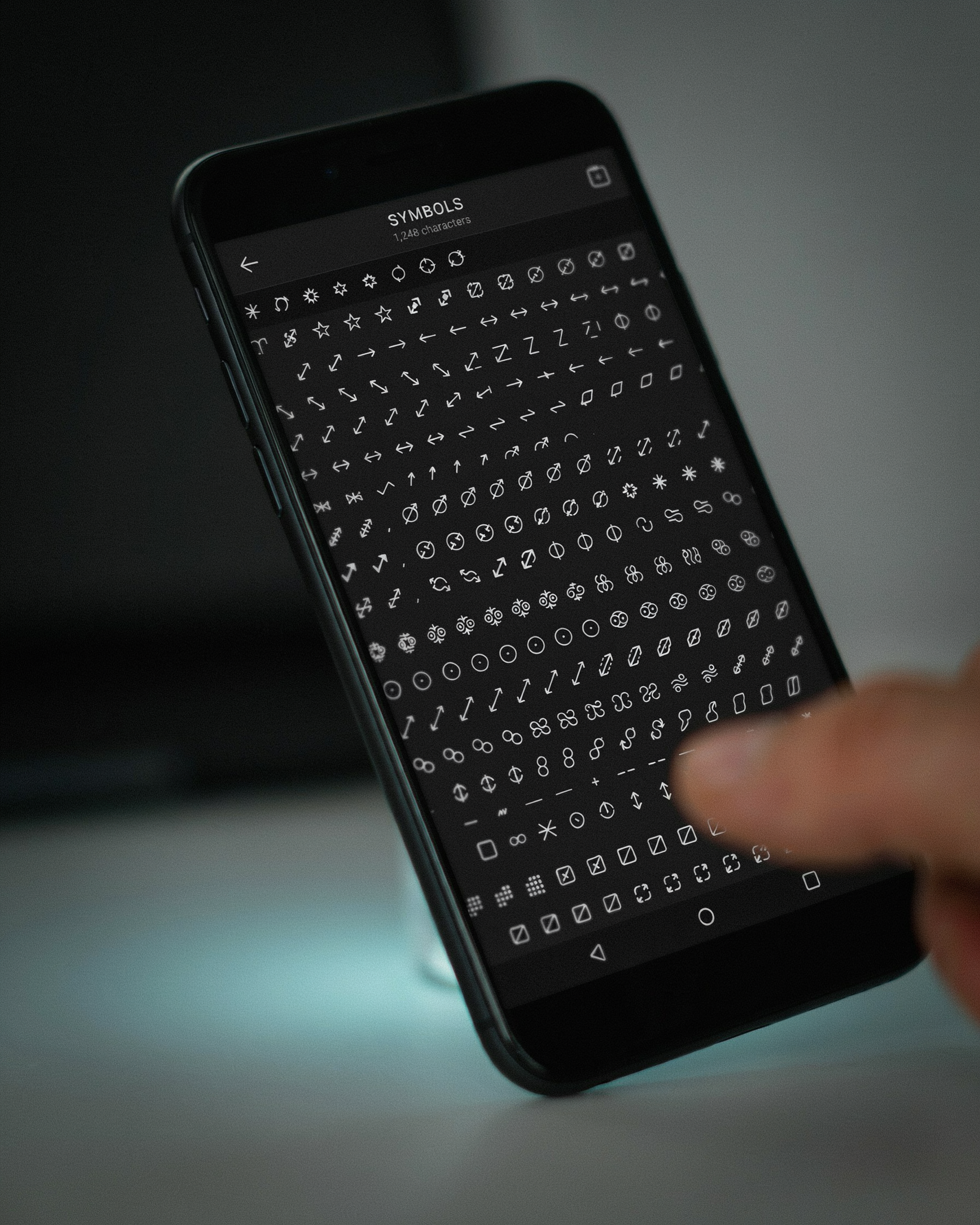
A fancy font maker works by converting plain letters into Unicode characters that look styled but still count as normal text. PUBG and BGMI read these characters as standard input, so the game accepts them without flagging your name as invalid. The tool doesn’t install a new font on your device. It swaps each letter for a visually similar Unicode symbol, like turning a regular “A” into a bold, cursive, or circled version that already exists in the Unicode standard.
- A fancy font maker swaps plain letters for Unicode characters that PUBG and BGMI accept as normal text.
- PUBG caps names at 14 characters, and every symbol counts toward that limit.
- Stick to widely supported Unicode blocks to avoid boxes and question marks in-game.
- Test your styled name in the rename field before spending a rename card.
- One style layer plus one symbol usually beats a wall of decorative glyphs.
Here’s the practical part. When you type “Shadow” into a Ultimate PUBG Name Style Font: How to Get Fancy Text tool, it outputs something like ꜱʜᴀᴅᴏᴡ or 𝕊𝕙𝕒𝕕𝕠𝕨. Those characters are not images. They are real text characters that PUBG’s name field can store and display. That’s why the trick works across mobile and emulator versions without any mods or third-party apps running in the background.
Some generators also add decorative symbols around the name, like stars, crowns, or arrows. PUBG allows a limited set of special characters in player names, so a good tool filters out anything the game would reject. The best ones, including the PUBG Name Generator 2026, test each output against the game’s naming rules before showing you the result. That saves you from copying a name that looks great in a browser but gets rejected on the login screen.
One thing to keep in mind: Unicode styling affects how your name appears in kill feeds, friend lists, and match results. Some characters render slightly differently on iOS versus Android, so it’s worth previewing your name on the device you actually play on. A solid fancy font maker handles that variability by sticking to widely supported Unicode blocks instead of obscure symbols that only render on one platform.
Why PUBG Players Use a Fancy Font Maker
PUBG Mobile and BGMI lobbies are crowded. Every match starts with dozens of names flashing across the screen, and a plain text username disappears into that noise fast. A fancy font maker changes that by turning a standard name into something that catches the eye before the first bullet fires. It is not about showing off. It is about being noticed, remembered, and recognized by your squad.
Squad identity is the biggest driver. When four teammates run similar styled names, the group reads as a unit. Enemies see a coordinated team, and your own squad feels tighter. A stylish font maker makes that coordination easy because everyone can pull from the same set of symbols and fonts without learning any code.
Duplicate names are a real problem too. PUBG has millions of active players, and most short, cool names are already taken. Adding a few well-placed symbols or a different font style lets you keep the name you want while making it unique enough to pass the game’s availability check. That is a practical fix, not a cosmetic one.
There is also a social signal at play. A styled name tells other players you put thought into your profile. It suggests experience, even before the match starts. Some players treat it like a badge. Others just like how it looks in the kill feed. Either way, the name becomes part of how you play the game.
If you are still using the default random name PUBG assigned, a fancy font maker is the fastest upgrade you can make. It takes under a minute, costs nothing, and changes how every lobby sees you.
How to Use a Fancy Font Maker for PUBG
The process is quick, and once you’ve done it a couple of times it takes under a minute. Start by opening PUBG Name Generator 2026 and typing your base name into the input box. Keep it simple at first, because the tool will transform whatever you type into dozens of styled versions.
After you type the base name, the fancy font maker shows a grid of style options. Some use Unicode characters that look like bold or italic letters. Others add symbols, small caps, or decorative flourishes around the text. Scroll through the list and tap the style you like. The tool copies it to your clipboard automatically, or you can tap a copy button next to the preview.
Next, open PUBG Mobile or BGMI and go to your profile. Tap the edit icon next to your current name, then paste the copied text into the name field. This is where the real test happens. PUBG accepts most Unicode characters, but a few symbols get rejected or stripped out. If the game shows an error, go back to the fancy font maker and pick a simpler style, one with fewer decorative symbols.
One thing worth knowing: the game counts characters differently for styled text. A name that looks like five letters may actually use more character slots because some Unicode symbols are made of multiple code points. If your pasted name is too long, trim the base name or choose a style with lighter decoration.
After you paste the name, save it and check your profile in a match lobby. Sometimes the name looks fine in the edit screen but renders slightly differently in the kill feed or squad list. If it looks broken there, switch to a cleaner style. The goal is a name that reads clearly, not one that confuses your teammates.
Character Limits and What Actually Works
PUBG Mobile and BGMI both cap character names at 14 characters, and that count includes every symbol, space, and special glyph you paste in. A name like ꧁༺Sniper༻꧂ burns through 11 characters before you even add letters, which is why so many players end up with truncated tags. We see this constantly on pubgnamegenerator.net when someone pastes a long fancy name and wonders why the last few letters vanished.
Not every Unicode symbol survives the trip into the game. PUBG Mobile generally accepts most standard Unicode text, but certain decorative blocks get stripped or replaced with a plain box. The safest characters are the common ones: basic Latin letters, accented letters like é and ñ, and widely supported symbols such as ★, ☠, and ツ. Fancy script alphabets like fraktur or double-struck letters usually render fine in the game, but some emoji and obscure glyphs from newer Unicode ranges show up as □ or a blank space on other players’ screens.
BGMI is slightly stricter than global PUBG Mobile in a few cases. Some regional builds filter out certain symbol-heavy names, especially ones that look like blank spaces or invisible characters. If your name shows as empty or as a row of boxes to your squadmates, that’s usually the game’s text renderer refusing a glyph it doesn’t recognize.
Our practical rule: keep the full name under 12 characters when you’re adding decorative brackets or symbols. Test it in the game’s name-change screen before you spend rename cards. A short base word plus one or two clean symbols almost always works, while a wall of ornate glyphs is a coin flip.
Stylish Font Maker vs Cool Font Maker: What to Pick
Most players think these two terms mean the same thing, but they pull from different style buckets. A stylish font maker leans into symbols, borders, and decorative characters that make a name look polished and premium. A cool font maker goes for attitude: sharp edges, bold strokes, and aggressive letterforms that read as intimidating in the kill feed.
If your goal is a clean, recognizable IGN that still stands out, start with the stylish side. Names built with subtle accents and balanced spacing are easier for teammates to read mid-match, which matters more than most players realize. You can test this yourself: paste a candidate name into a Ultimate PUBG Name Style Font: How to Get Fancy Text preview and check whether it stays legible at small sizes.
The cool side works better for aggressive playstyles. Heavy fonts, reversed characters, and dense symbol clusters signal a different kind of presence. But there’s a trade-off: the more decorative the characters, the harder the name is to search or type manually. If you play with a regular squad, a name nobody can spell becomes a liability.
My advice: pick one lane and commit. Mixing too many styles in a single name usually produces something that looks cluttered rather than clever. A stylish font maker gives you consistency; a cool font maker gives you impact. Decide which one matches how you actually play, then build the name around that choice.
Font Generator for PUBG: Style Categories That Work
Not every fancy style survives the PUBG Mobile and BGMI name field. Some characters get stripped, others render as blank boxes, and a few simply look unreadable in the kill feed. A good font generator for pubg gives you categories that actually hold up in-game, and the ones below are the ones we lean on most.
Bold styles add weight without changing the shape of your letters. They read clearly in the lobby and in match results, which matters when other players are trying to type your name or report you. Bold works best on short names, two to six characters, because longer bold strings start to blur together on smaller screens.
Italic and cursive styles feel faster and more aggressive. A slanted name reads as movement, which suits aggressive playstyles and sniper tags. Cursive is riskier: some cursive glyphs are not supported in the PUBG name field and will render as squares. Test a cursive name in a custom room before you commit to it.
Small caps are underused and clean. They keep your name readable while looking deliberately styled, and they rarely trigger the character filter. Symbols are the opposite: hearts, stars, arrows, and crown glyphs add flair, but PUBG accepts only a limited set of Unicode symbols. Stick to the ones a font generator for pubg shows as verified, because unverified symbols are the most common reason a name gets rejected.
Combined styles, like bold italic or cursive with a symbol on each side, give you the most unique look. The trade-off is length: every styled character counts toward the name limit, so a heavily decorated name leaves less room for the actual word. We usually suggest one style layer plus one symbol, not three layers stacked together.
When you are testing categories, copy the output into the game’s rename field before you spend rename cards. What looks perfect on a web page sometimes breaks in the client, and checking first saves you the frustration of a wasted card.
Pubg Fancy Font Maker: Naming Ideas That Stick
A pubg fancy font maker only gets you so far. The style catches the eye, but the name underneath has to feel like you. We see the same patterns work over and over, so here are the ones worth stealing.
Short aggressive handles still dominate. Think two syllables, hard consonants, no filler: VEX, KRUEL, ZYN. Add a symbol from the generator and you get something like 『VEX』 or ꧁ZYN꧂. These read fast in the kill feed, which matters more than most players realize.
Adjective plus noun is the other reliable route. SilentReaper, RogueFrost, IronPhantom. The fancy font maker wraps the whole thing in a style that fits the mood, and the name itself still sounds like a player, not a random string.
If you want something that feels personal, pull from the PUBG Stylish Names for Boys: Top 150+ Trending Ideas list and run your pick through the generator. Most of those names are built for exactly this, short enough to remember and easy to pair with a symbol or two.
One thing we tell players: don’t over-style. A name with five different symbols around it looks cluttered in the lobby. Pick one wrapper, maybe a second accent, and stop. The PUBG Name Boy Top 10: Best Stylish Names for Male Players roundup shows how clean the best ones stay.
And if you’re starting from zero, the PUBG Name Generator 2026 gives you a base name in seconds. Then the pubg fancy font maker does the styling. That two-step approach beats staring at a blank box every time.
Common Mistakes When Creating a Fancy PUBG Name
Most rejected names fail for the same handful of reasons. The biggest one is over-styling. A name with five different fonts, three symbols, and a random mix of uppercase and lowercase letters looks cluttered in the lobby. Players glance at it once, can’t read it, and move on. A clean style with one or two flourishes reads better than a wall of characters.
Unreadable names are the second problem. If your squadmates have to squint to figure out what your name says, you’ve lost the point. The best PUBG names are recognizable at a glance. That means avoiding heavy gothic fonts for long names and skipping symbols that look like letters but aren’t. A “0” instead of an “O” might look clever in a fancy font maker preview, but in-game it just confuses people.
Unsupported characters cause silent failures. PUBG Mobile and BGMI accept a narrower set of Unicode symbols than most font tools offer. A character that renders perfectly on a website can show up as a blank box or a question mark in the game. When that happens, your name looks broken, not stylish. Before you commit to a name, paste it into the game’s rename field and check every character. If anything looks off, swap it for a simpler symbol.
Names that get flagged or rejected usually break one of two rules. First, PUBG filters out names that impersonate official accounts or contain offensive terms, even when those terms are hidden inside fancy characters. Second, some servers reject names with too many special symbols in a row. If your name gets rejected, strip it back to letters and one accent symbol, then try again. A simpler name that actually gets accepted beats a fancy one that never makes it past the filter.
Frequently Asked Questions
Are fancy fonts allowed in PUBG Mobile and BGMI?
Yes, most fancy fonts are allowed because they use standard Unicode characters that the game accepts. PUBG Mobile and BGMI don’t ban stylish text outright. Names that use only Unicode letters and symbols usually pass the filter, though extremely unusual characters can sometimes get rejected.
Why did my fancy name show up as boxes or question marks?
Boxes and question marks appear when the game’s font doesn’t support a specific Unicode character. Some symbols look great in a browser but don’t render inside PUBG Mobile. Sticking to common Unicode ranges, like Latin extended letters and basic symbols, avoids most broken names.
Can I use invisible characters in my PUBG name?
You can, but it’s risky. Invisible Unicode characters like zero-width spaces sometimes pass the filter and make a name look blank. However, Krafton has tightened name rules over time, and many invisible names get flagged or reset. A safer route is using subtle symbols that still read as a name.
How do I fix a name that won’t save in PUBG?
First, shorten the name. PUBG Mobile caps names at 14 characters, and fancy symbols each count toward that limit. Next, remove any unusual Unicode characters and try again. If it still fails, switch to a simpler style from a Ultimate PUBG Name Style Font: How to Get Fancy Text guide that lists only game-tested characters.
Does a fancy font maker work for both PUBG Mobile and BGMI?
Generally, yes. Both games use the same underlying text system, so a name that works in PUBG Mobile usually works in BGMI. The main difference is regional filtering, which can occasionally reject certain symbols in one version but not the other. Test your name in a custom room before committing a rename card.