Ultimate Cute Font Generator: Adorable Text Styles for Your

If you want a cute font generator that turns plain text into soft, rounded, kawaii-style lettering for your PUBG Mobile or BGMI username, you’re in the right place. The tool on this site takes whatever you type and converts it into copy-and-paste-ready cute fonts, kawaii text, and cute symbols that work in most in-game name fields. Here’s what you’ll learn.
Key takeaways
- A cute font generator converts plain text into Unicode characters that PUBG Mobile and BGMI display without mods.
- Readability matters more than decoration. Test your styled name in the kill feed before committing.
- Pair one or two cute symbols with soft letters. Overloading a name makes it hard to read.
- Copy and paste is the only step that can trip you up. Remove trailing spaces before pasting into the game.
- Common Unicode ranges like fullwidth forms and enclosed alphanumerics are the most reliable across devices.
What a Cute Font Generator Actually Does
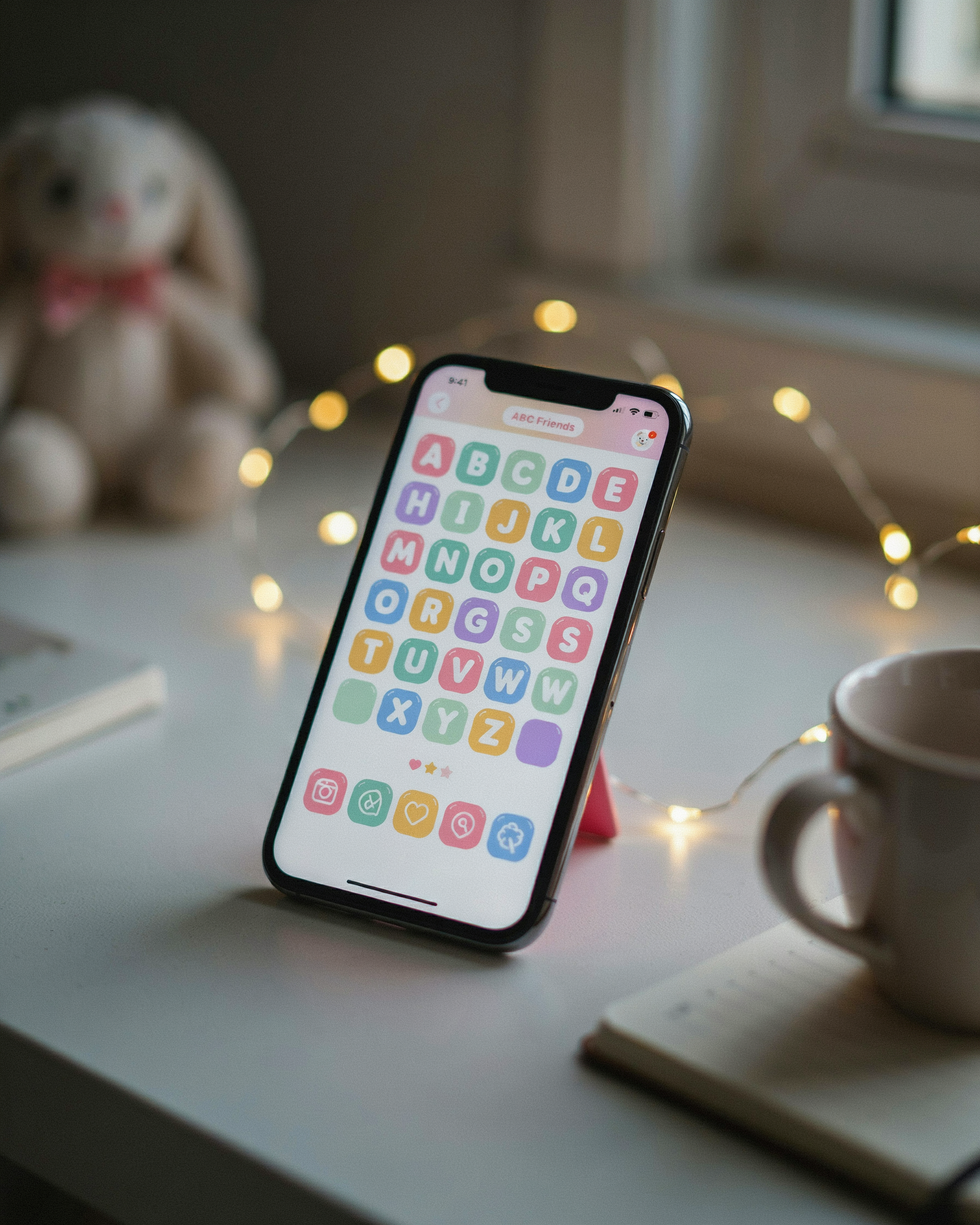
At its core, a cute font generator is a text conversion tool. You type a normal name like “Luna” or “Mochi” and it swaps each letter for a Unicode character that looks softer, rounder, or more decorative. The output isn’t a new font file. It’s the same alphabet rendered through special Unicode blocks that most devices already support.
This matters for PUBG Mobile and BGMI because those games don’t let you install custom fonts. Your username field accepts plain text, and a cute text generator works within that limitation. It produces characters the game engine can display, so your name shows up exactly as you copied it.
You’ll see styles like fullwidth characters, small caps, circled letters, and script-like glyphs. Some generators add tiny hearts, stars, or sparkles around the text. The result reads as “cute” because the letterforms are visually lighter and more playful than standard text.
One thing to know: these aren’t actual fonts in the typography sense. They’re Unicode codepoints. That’s why they work in usernames, chat, and even clan tags, but they can look different depending on the device or operating system. A style that renders perfectly on Android might show boxes on an older iOS build. Testing before you commit to a name is worth the extra minute.
For PUBG players, the practical takeaway is simple. A cute font generator gives you a name that stands out in the kill feed and lobby without needing any mods or third-party apps running in the background.
Why Cute Fonts Work for PUBG and BGMI Names
Lobby screens are crowded. Every match starts with dozens of usernames scrolling past, most of them aggressive or forgettable. Cute fonts flip that script. A name styled in soft, rounded letters catches the eye because it reads as deliberate, not default. When someone sees a kawaii text username next to a wall of plain tags, the contrast does the work for you.
There’s a practical side too. PUBG and BGMI usernames have character limits, and players often pad names with random numbers or underscores just to get something unique. Cute fonts give you a way to stand out without sacrificing readability. The right style keeps your name clean while still looking handcrafted, which matters more than most players realize. We covered the deeper reasons in our guide on Why PUBG Username Matters: Essential Tips for a Unique identity, but the short version is that your name is the first thing squads see before you fire a single shot.
Kawaii text also signals personality without saying a word. A cute font can make a name feel friendly, playful, or just memorable in a way that plain text can’t. In a game where reputation builds through repeated encounters, that small visual cue helps other players remember you. And when you pair cute fonts with the right symbols, the effect gets stronger without becoming cluttered.
How to Use a Cute Font Generator Step by Step
I’ll walk you through the exact process we use on pubgnamegenerator.net. It takes under a minute once you know the flow, and the same steps work for PUBG Mobile, BGMI, and most other games that support Unicode text.
- Type your base name. Start with the name you already like, or a short word that fits your vibe. The cute font generator works best when you give it something real to transform, so avoid random letter strings at this stage.
- Pick a style. The tool shows a grid of previews: bubbly rounded letters, tiny superscript text, soft heart-filled fonts, and kawaii styles with stars or sparkles. Tap through a few and watch how your name changes in real time.
- Refine with cute symbols. Most players add a heart, star, flower, or butterfly on either side of the name. You can also swap in cute letters like a curled lowercase “a” or a dotted “i” to make the whole thing feel more intentional.
- Copy the result. One tap copies the styled name to your clipboard. No downloads, no signup, no extra steps.
- Paste into PUBG or BGMI. Open the game’s profile or rename screen, long-press the name field, and paste. If the game rejects a symbol, go back and try a simpler style. Some special characters are blocked by anti-cheat filters, but standard Unicode fonts and common hearts usually pass without issue.
One thing I’ve noticed: players who rush this step end up with names that look broken in the kill feed. A cute font generator is only as good as the base name you feed it, so spend ten extra seconds on step one. If you’re stuck, our Username Ideas With Your Name for PUBG Mobile and BGMI page has starting points that pair well with soft, rounded fonts.
After pasting, check the name in a lobby preview before you lock it in. Some fonts render differently on Android versus iOS, and you don’t want your adorable name to show up as empty boxes for half the lobby.
Cute Symbols and Cute Letters to Pair With Your Font
Once you have a font you like, the next step is deciding what to put around it. A name like “Luna” reads fine on its own, but “Luna ♡” feels warmer. That small heart does a lot of work. It softens the whole name and gives it a personality before anyone reads a single letter.
Cute symbols are the easiest way to make a name feel finished. Hearts, stars, sparkles, flowers, and little clouds are the ones you see most often in PUBG Mobile and BGMI lobbies. They are not random decorations. A star next to a name reads as playful and energetic, while a heart reads as gentle and friendly. The symbol you pick changes the mood of the whole name, even when the letters stay exactly the same.
Pairing cute symbols with cute letters works best when you keep the contrast simple. Rounded letters like “a”, “e”, and “o” already feel soft, so adding one or two symbols around them is enough. Overloading a name with five different symbols makes it hard to read in a kill feed, and that is the opposite of what you want. One symbol at the start or end usually looks cleaner than three in the middle.
A practical trick is to use the same symbol on both sides of your name, like “✿ Luna ✿”. It frames the name and makes it feel intentional. If you are copying from a generator, paste the name into a notepad first and check that the symbols render correctly. Some devices show certain symbols as empty boxes, especially older Android phones. If a symbol does not display, swap it for a simpler one like a basic heart or star. Those are the most reliable across devices and game clients.
You do not need a long list of symbols to make a name work. Two or three well-chosen ones, placed consistently, will do more than a wall of decorations. The goal is a name that looks cute at a glance and still reads clearly when someone is trying to call out your position mid-match.
Kawaii Text Styles That Actually Read Well
Not every kawaii text style survives the kill feed. Bubble text looks adorable in a profile, but when your squadmate is calling out your position mid-fight, a name wrapped in circles can blur into mush on a phone screen. The styles that hold up are the ones with clear letterforms underneath the decoration.
Small caps are the quiet workhorse here. They keep the base letters intact while shrinking the uppercase forms, so a name like mochibun reads instantly even at a glance. Circled letters are trickier: a single circled vowel works fine, but circling every character turns your name into a visual puzzle. If you want that soft, rounded look without sacrificing clarity, try a style that only rounds the corners of each letter rather than enclosing it.
Readability matters most in the kill feed, where names flash by in under a second. A cute font generator that offers a preview pane helps here: type your name, shrink the preview to roughly phone size, and check whether you can still pick out the letters. If you have to squint, switch to a lighter decoration. The sweet spot is a style that looks hand-drawn and friendly but keeps the letter shapes your teammates already recognize.
Cute Font Generator vs Manual Name Creation
Typing symbols by hand feels satisfying for about five minutes. You scroll through a character map, copy a heart, paste it, then realize the spacing is off and the symbol doesn’t render in the PUBG lobby. A cute font generator removes that trial and error because it converts your plain text into styled output in one step, with the symbols already aligned and tested for the game’s character limits.
Manual creation does give you total control. You can place a star exactly where you want it and mix three different styles in one name. The trade-off is time and consistency. Most players end up with uneven spacing or a symbol that shows as a blank box on other devices. The generator approach keeps everything uniform and copy-ready, which matters when you’re switching between PUBG Mobile and BGMI.
We’ve written a longer breakdown of the Pubg Name Generator: Free Tool vs Manual Creation trade-offs, but the short version is this: if you want a name that works on the first try, use the tool. If you enjoy tinkering and don’t mind redoing a name three times, manual styling can produce something unique. Most players land somewhere in the middle, starting with a generated base and tweaking one or two characters by hand.
Copy and Paste Fancy Fonts Without Breaking Your Name
Copy-paste fancy fonts rely on Unicode characters, not actual font files. When you paste a styled name into PUBG Mobile or BGMI, the game reads those Unicode glyphs and renders them if the device supports them. Most modern phones handle the common cute letters and kawaii text fine, but some older Android builds or custom ROMs show blank boxes instead of characters. That’s why a name that looks perfect in a browser preview can break in the lobby.
The safest approach is to test your name in the game’s rename field before committing. If a character shows as a square or disappears, swap it for a simpler alternative from the same style family. PUBG Mobile and BGMI also enforce character limits and sometimes strip certain symbols entirely, so a name with too many decorative marks may get rejected even if it pasted correctly.
We’ve found that pairing a stylish text generator with a quick in-game test saves the most frustration. Generate the name, paste it, and check the preview before you spend rename cards. If the preview looks right, it usually stays right in matches. Cute symbols like hearts and stars tend to survive better than obscure Unicode blocks, so lean toward those when you want reliability.
Username Ideas With Your Name Using Cute Fonts
Start with your real name or a short nickname, then run it through a cute font generator to see what sticks. If your name is long, trim it to the first four or five letters. A base like “Maya” becomes easier to style than “MayasaurusRex.” Keep the core short so the cute letters stay readable in the kill feed.
Try pairing your name with a cute symbol. A heart, a star, or a small flower on either side gives the name a soft look without making it hard to type. For example, a name like “Luna” can become “Luna ✿” or “✿ Luna ✿.” The symbol placement matters more than the symbol itself. Put it at the end if you want the name to read fast. Put it on both sides if you want the full kawaii effect.
Some players prefer to keep the base name plain and only style the first letter. A cute font generator usually lets you copy the whole string at once, so you can mix a fancy first letter with normal lowercase letters for the rest. That gives you a name that looks custom but still loads quickly on mobile.
We have a full breakdown of Username Ideas With Your Name for PUBG Mobile and BGMI if you want more starting points. The trick is to test the name in a private lobby before you commit. Some cute fonts look great in the generator but turn into boxes in the actual game client.
How PUBG Name Generator Work With Cute Styles
Pubgnamegenerator.net keeps the process simple: you type a base name, pick a cute style from the preview grid, and the tool converts each letter into matching Unicode characters. The result is a name that still reads as your original word but looks softer and more playful. We built the cute font generator this way because PUBG Mobile and BGMI accept Unicode in the name field, so the fancy output works in-game without any extra steps.
What makes it practical is the copy button next to every result. One tap copies the styled name to your clipboard, and you can paste it directly into the PUBG or BGMI rename screen. There is no download, no account, and no limit on how many times you can generate. If the first style feels too cluttered, you can run the same base name through a different cute font option in seconds.
Under the hood, the tool maps standard letters to Unicode lookalikes that carry the cute aesthetic: rounded forms, small caps, and decorative tails. This is the same mechanism described in our How PUBG Name Generator Work page, just tuned for adorable styles rather than aggressive or gothic ones. Because the output is plain text, it stays stable across devices and does not break when you switch between PUBG Mobile and BGMI.
The free part matters for players who rename often. Instead of manually hunting for cute symbols or testing which characters the game accepts, you get a ready-to-paste string in one pass. That is the whole point: less fiddling, more time actually playing with a name you like.
Getting Fancy Text for Your Username
Getting fancy text into your PUBG or BGMI username is easier than most players think. You don’t need to memorize Unicode tables or install anything. A cute font generator handles the hard part by converting plain letters into styled characters that the game still accepts. Type your base name, pick a style that fits your vibe, and copy the result. That’s the whole workflow.
One thing I always check before locking in a name: how the fancy text reads at small sizes. Some cute fonts look adorable in a preview box but turn into unreadable squiggles on the kill feed. Test with short names first. Two to four word names usually hold up better than long phrases. And remember that PUBG Mobile and BGMI both have a 14 character limit for usernames, so every styled character still counts toward that total.
If you want a deeper walkthrough on styling options, our Ultimate PUBG Name Style Font: How to Get Fancy Text guide covers the full range of choices. It pairs well with the cute font generator here, especially when you’re deciding between soft kawaii text and bolder fancy styles.
Copy and paste is the only step that can trip people up. Some devices add a trailing space when you copy from a browser, and PUBG rejects names with spaces. Paste into a plain text editor first, delete anything extra, then paste into the game. It’s a small habit that saves a lot of frustration.
The Ultimate Guide to Adorable PUBG Names
Adorable PUBG names aren’t just about slapping a heart on the end. They work because they balance softness with identity. A name like MochiBunny or PeachyKitten reads friendly, but it still feels like you when you see it on the kill feed. The trick is picking a base word that already means something to you, then letting a cute font generator handle the styling.
We’ve found the best adorable names keep one clear anchor: an animal, a dessert, a color, or a small object. Pair that with a soft modifier like “lil,” “tiny,” or “baby,” and you get something that feels intentional, not random. LilMochi works. MochiLil doesn’t. Word order matters more than most players expect.
When you’re ready to make it yours, run the name through a Cute Font Generator: The Ultimate Guide to Adorable PUBG to see how it looks with rounded letters, sparkles, or tiny symbols. The right style can turn a plain word into something that feels hand-picked. Just keep the name readable in the lobby, because a name nobody can parse won’t get the reaction you want.
Frequently Asked Questions
Do cute fonts actually work in PUBG Mobile and BGMI?
Yes, they work because the game accepts most Unicode characters in the name field. A cute font generator converts standard letters into Unicode symbols and stylized characters that PUBG Mobile and BGMI render correctly. Some very obscure symbols get rejected, so stick to common Unicode ranges like fullwidth forms and enclosed alphanumerics.
Will using cute fonts get my account banned?
No. PUBG Mobile and BGMI allow Unicode characters in usernames, and using a cute font generator doesn’t violate the terms of service. The name field simply displays whatever characters you paste in. As long as the name isn’t offensive, you’re fine. Many top players use fancy text without any issues.
Can I copy and paste cute fonts directly from a generator?
Yes, that’s the whole point. You type your name, pick a cute style, and the generator shows the converted text. Tap the copy button, then paste it into the PUBG or BGMI name field. The text keeps its styling because it’s made of Unicode characters, not regular letters.
What’s the difference between cute fonts and kawaii text?
They overlap heavily. Cute fonts lean toward rounded, soft-looking Unicode characters like fullwidth letters and small caps. Kawaii text adds Japanese-inspired symbols, hearts, stars, and faces. Most cute font generators include both styles, so you can mix soft letters with kawaii decorations in one name.
Why does my cute name show as boxes on some devices?
That happens when a character isn’t supported by the device’s font. Older phones or certain Android skins lack glyphs for some Unicode symbols, so they render as empty boxes. Stick to widely supported characters like fullwidth letters, enclosed alphanumerics, and common symbols like hearts and stars. A reliable cute font generator avoids obscure glyphs for this reason.