Symbol and Name for PUBG: The Ultimate 2026 Guide
Yes, you can add symbols to your PUBG name. PUBG Mobile and BGMI accept a limited set of Unicode characters, so a name like ★Raven★ or ꧁Ghost꧂ works in-game. The trick is using symbols the game’s font actually renders, not emoji or obscure glyphs that show up as boxes.
Key takeaways
- PUBG and BGMI names cap at 14 characters, and every symbol counts as one.
- Stick to stars, hearts, arrows, and CJK brackets. Emoji don’t work.
- Symbols don’t change your numeric PUBG ID, but they can make your name harder to search.
- Test a new name in a custom room before spending a rename card.
- Keep the readable part of your name intact so friends can still find you.
Most PUBG and BGMI players start with a plain name, then realize it blends into the crowd. Adding a symbol for nickname purposes changes that. A simple name like “Raven” becomes “꧁༒Raven༒꧂” or “★Raven★” with the right characters. These symbols don’t change how the game reads your name, but they do change how other players see it.
Symbols names work because the PUBG Mobile and BGMI name fields accept Unicode characters. That means you can pull in characters from other alphabets, decorative blocks, and symbol sets that the game’s default keyboard doesn’t offer. The trick is knowing which symbols render correctly in-game and which ones show up as empty boxes.
We’ve tested hundreds of these combinations on PUBG Name Generator 2026, and the ones that survive every match share a few traits: they’re short, they use symbols that PUBG’s font supports, and they keep the readable part of the name intact. A good symbol and name pairing feels like one unit, not a name with clutter bolted on.
Why Do PUBG and BGMI Players Add Symbols to Their Names?
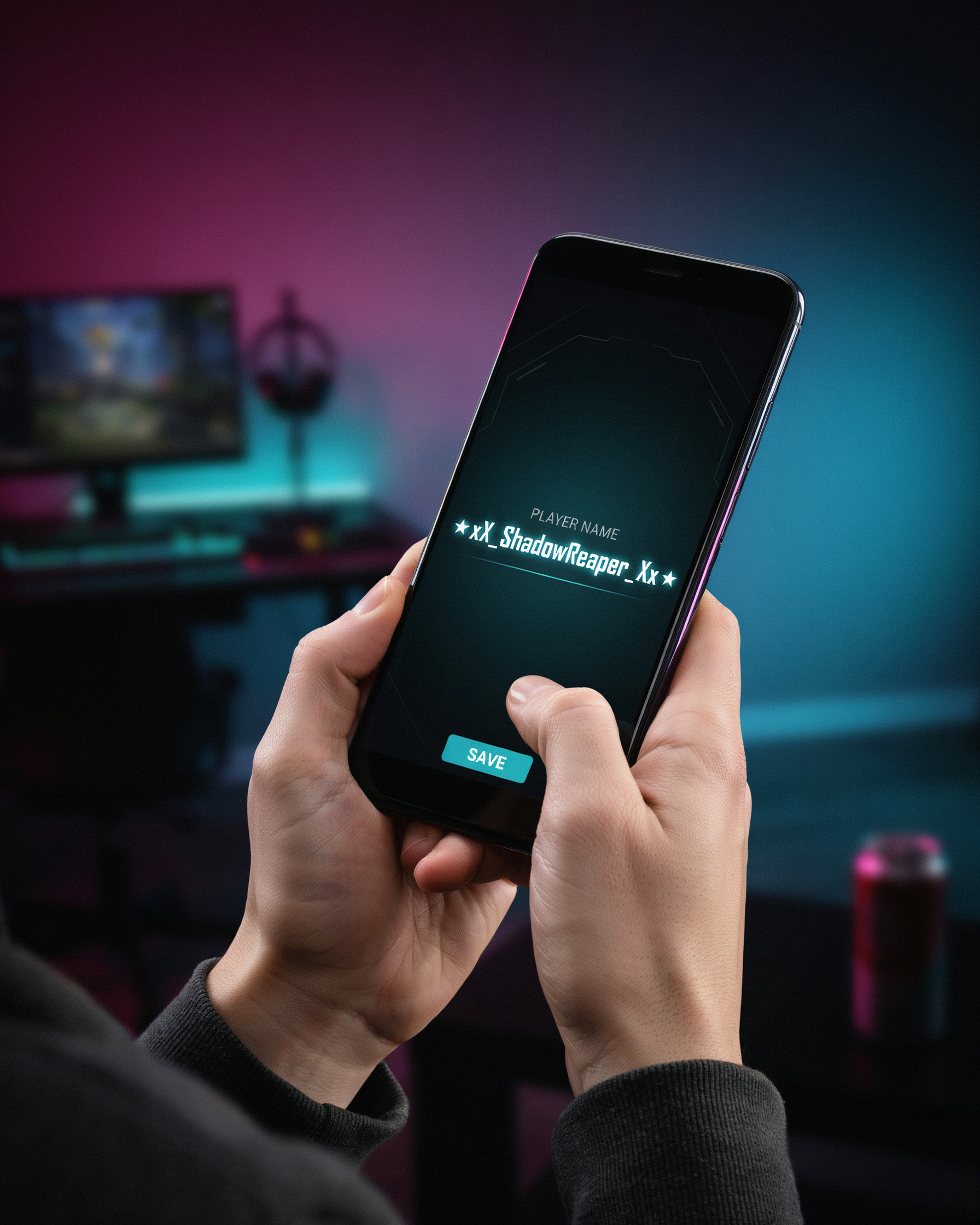
Most players start with a plain word or phrase. Then they see someone in the kill feed with a name that catches the eye, and suddenly a plain name feels unfinished. The reason is simple: PUBG Mobile and BGMI show your name constantly. It appears in the lobby, on the kill feed, on the death cam, and in squad lists. A symbol and name combination makes that repeated exposure work for you instead of against you.
Uniqueness is the biggest driver. PUBG has millions of registered players, which means common names like “Shadow” or “Reaper” are almost always taken. Adding a symbol, or a few symbols, lets you keep the word you want while making the full string yours. A player who wants “Ghost” can become “꧁Ghost꧂” or “Ghostツ” and still read as Ghost to friends. The symbol does the work of differentiation without forcing you to invent a brand-new word.
Style matters too. Symbols carry a visual tone that plain letters cannot. A crown suggests royalty or confidence. A skull reads as aggressive. A heart softens a name. Players pick symbols that match their playstyle, their squad’s vibe, or just what looks good on their screen. This is why a stylish name generator usually offers symbol sets alongside font options, because the two work together.
Clan identity is another practical reason. Squads often share a symbol prefix or suffix so members are recognizable at a glance. A team might use “『』” around every member’s name, or a shared star before the clan tag. That shared symbol becomes a quick visual signature in the kill feed, which helps with coordination and looks deliberate to opponents.
Finally, there is the simple fact that a symbol and name pairing stands out in a kill feed full of plain text. When you knock an enemy, your name flashes on their screen for a second. A name with a well-placed symbol is more likely to be remembered, and in a game built on reputation, being remembered is part of the fun.
Which Symbols Work in PUBG and BGMI?
Not every symbol you paste into the name field survives PUBG Mobile or BGMI. Krafton’s text filter accepts most standard Unicode characters but rejects emoji, many wingdings, and anything that renders as a control character. The symbols that reliably work fall into four groups: punctuation-style marks, enclosed alphanumerics, letterlike symbols, and some CJK punctuation. I’ll walk through each group with examples you can copy right now.
Punctuation-style symbols are the safest starting point. Stars (★ ☆ ✦ ✧), hearts (♥ ♡), arrows (→ ← ↑ ↓), musical notes (♪ ♫), and simple geometric shapes (◆ ◇ ■ □) all pass the filter on both platforms. These read clearly in the lobby and kill feed, which matters more than most players expect. A name like ★Shadow★ looks crisp on any device, while a name built from obscure glyphs often breaks on low-end Android phones.
Enclosed alphanumerics are the second group worth knowing. Circled letters and numbers (Ⓐ ⓑ ① ⑮) and parenthesized characters (㊙ ㊚) work in most cases. They’re popular for pubg name symbol combinations because they add structure without changing the name’s readability. Just avoid stacking more than two enclosed characters side by side; the game’s font sometimes renders them at different heights.
Letterlike symbols cover the fancy-font look without a separate font generator. Characters like ™, ℠, ℗, and the double-struck letters (𝔸 𝔹 ℂ) pass the filter, though double-struck letters occasionally show as boxes on older devices. If you want that style, test it in a custom room before spending rename cards.
CJK punctuation is the fourth category, and it’s the one most players overlook. Fullwidth brackets (【 】), corner brackets (「 」), and the katakana middle dot (・) all work in bgmi name symbol setups. These are especially useful for two-part names like ・LoneWolf・ because the dot reads as a separator rather than a decoration.
What doesn’t work is just as important. Emoji fail outright. Most symbols from the Miscellaneous Symbols block (☠ ☮ ☯) pass, but a handful get stripped silently, so your name saves without the character you pasted. The reliable approach is to stick with the four groups above and verify the name in a training match before committing.
How to Add a Symbol to Your PUBG Name Step by Step
Adding a symbol to your PUBG name takes less than a minute once you know where to copy from. The game’s rename card accepts most Unicode symbols, so the process is mostly about pasting cleanly. Here’s the exact sequence we use on PUBG Name Generator 2026 when testing new combinations.
- Open the rename screen. In PUBG Mobile or BGMI, go to your profile, tap the pencil icon next to your current name, and the rename card prompt appears. You need one rename card per change, which costs UC or is earned through events.
- Copy a symbol. Pick a symbol that renders correctly in-game, like ★, ꧁, ꧂, ツ, or ༄. Copy it from a reliable source. We keep a tested set on our generator page because some symbols look fine on a phone but break inside PUBG’s font renderer.
- Paste the symbol into the name field. Tap and hold in the text box, choose paste, and the symbol appears. Position it before your name, after it, or on both sides for a framed look.
- Type your name. Keep the total character count under 14, because PUBG Mobile and BGMI cap display names at that length. A symbol counts as one character, so a framed name like ꧁Shadow꧂ uses 8 characters.
- Preview before confirming. PUBG shows a live preview, but some symbols render as boxes or question marks only after you save. Test with a cheap rename card first if you’re unsure.
- Confirm and check in a lobby. After saving, join a match or open your friends list to see how the symbol and name actually displays to other players.
One thing people miss: you can’t paste symbols into the rename field on some older Android keyboards. If paste fails, long-press the field and choose “Clipboard” instead of the keyboard’s paste button. The How PUBG Name Generator Work page explains why certain symbols pass PUBG’s filter while others get rejected, which saves you a wasted rename card.
Symbol and Name Ideas for Different Playstyles
Your playstyle says a lot about you, so your symbol and name should match it. A rusher wants something sharp and fast. A sniper wants something cold and precise. A support player wants something calm and reliable. We’ve put together copy-ready combinations for each style, using symbols that actually render in PUBG Mobile and BGMI.
Aggressive Rusher Names
Rushers live for close-range fights, so short names with sharp symbols work best. Try these:
- 『RUSH』
- ꧁༺KILLER༻꧂
- ☠️DEATH☠️
- 『NO-MERCY』
- ⚡STRIKE⚡
A name like 『RUSH』 tells the lobby exactly what you’re about to do. Keep it under 12 characters so it’s easy to read on the kill feed.
Sniper Names
Snipers are patient and precise. A clean symbol and name with a single accent mark reads calm but deadly:
- 『GHOST』
- ꧁༺SILENT༻꧂
- 『ONE-SHOT』
- ☄️COMET☄️
- 『PREDATOR』
One-shot names are popular because they promise exactly what a good sniper delivers. Avoid too many symbols here; a single frame or accent keeps the name readable at distance.
Support and Team Player Names
Support players keep the squad alive. Your symbol and name should feel steady and helpful:
- 『MEDIC』
- ꧁༺GUARDIAN༻꧂
- 『REVIVE』
- ⚕️HEALER⚕️
- 『BACKUP』
A name like 『MEDIC』 instantly tells teammates you’ll be there for the revive. The ⚕️ symbol is a nice touch because it’s instantly recognizable as medical, even in the middle of a firefight.
Funny and Troll Names
Funny names are memorable and often get reactions in the lobby. These work well with playful symbols:
- 『NOOB-SLAYER』
- ꧁༺CAMPING-KING༻꧂
- 『CHICKEN-DINNER』
- 🍗CHICKEN🍗
- 『BOT-HUNTER』
The 🍗 symbol is a classic because everyone knows what a chicken dinner means in PUBG. Just remember that some symbols don’t render on all devices, so test your name before you commit.
Stylish and Minimal Names
Stylish names use one or two well-chosen symbols to look clean, not cluttered. These are some of our favorites:
- 『VOID』
- ꧁༺NOVA༻꧂
- 『ECHO』
- ✦SHADOW✦
- 『PHANTOM』
A single ✦ on each side of a short word looks sharp without being busy. If you want more ideas, the PUBG Name Generator 2026 has hundreds of ready-made combinations you can copy and paste directly into the game.
Common Mistakes When Combining Symbols and Names
Most symbol and name combinations fail for the same few reasons. The biggest one is copying a symbol that PUBG Mobile or BGMI simply does not render. You paste it into the rename box, it looks perfect, and then your name shows up as a hollow box or a question mark in the lobby. That happens because the game’s font set only supports a limited range of Unicode characters, and plenty of the fancy ones floating around social media are outside it.
Length is the second trap. PUBG Mobile allows up to 14 characters for a name, and BGMI follows the same limit. A symbol counts as a character just like a letter does. Players who stack three or four symbols around a long word often hit the cap and end up with a truncated name that cuts off mid-letter. The fix is simple: count every symbol as one character before you commit.
Invisible characters cause a different kind of problem. Some players use a zero-width space or an invisible Unicode character to fake an empty slot or to separate words without a visible gap. The game sometimes accepts it, sometimes strips it, and sometimes leaves a blank space that makes your name impossible to search. If you want a clean look, a regular space or a supported symbol is safer than an invisible one.
There is also the readability mistake. A symbol and name pairing that looks clever in a font preview can become unreadable at the small size PUBG uses in the kill feed and the squad list. If your teammates cannot type your name or call it out quickly, the style is working against you. We usually recommend testing a new name in a custom room before spending rename cards on it. Pubgnamegenerator.net keeps its symbol library limited to characters that actually render in-game, which saves you from the box-and-question-mark loop.
How Many Symbols Can You Use in a PUBG Name?
PUBG Mobile and BGMI cap in-game names at 14 characters, and every symbol you paste counts as one character just like a letter or number. A name with three symbols leaves you 11 characters for the actual word or phrase. We see players run into this constantly: they build a stylish name with five or six symbols, hit save, and get an error because the total crossed the limit.
The game does not set a separate cap on symbols themselves. You could technically use all 14 characters as symbols, though that makes you nearly impossible to find in search or friend requests. Most players settle on two to four symbols, usually placed at the front or back of the name. A single pubg name symbol on each side of a short word keeps the name readable while still looking distinct in the kill feed.
When you exceed 14 characters, the game simply refuses the change and your old name stays active. You will not lose your rename card, but you will have to trim something. The fix is usually to drop a decorative symbol or shorten the base word. If you are copying a symbol and name combo from a generator, check the character count before you paste it into the rename field.
BGMI follows the same 14-character rule as PUBG Mobile, so anything that fits in one fits in the other. The PUBG New Name: The Complete Guide to a Fresh and Stylish username covers the rename flow in more detail if you want the full walkthrough.
Do Symbols Affect Your PUBG ID or Searchability?
No, adding a symbol to your name does not change your numeric PUBG ID. That ID is assigned to your account when you create it, and it stays the same no matter how many times you rename yourself. Your friends can still find you by that ID, and they can also search for you by your display name, symbols included.
Searchability is where things get a little tricky. If a friend types your name without the symbol, the game usually won’t show your profile in the results. They need to type the symbol exactly as it appears. That’s why we recommend keeping your symbol and name combination simple enough to type on a phone keyboard. A name like “Rex” with a single star symbol is easy to find. A name with five different decorative characters is not.
One more thing to know: symbols do not give you a hidden or anonymous identity. Other players can still report you, and the game’s anti-cheat system tracks your numeric ID, not your display name. Changing your name to include symbols won’t protect an account that breaks the rules.
If you want to test how your name appears in search, ask a friend to look you up before you commit to a rename. That quick check saves you from a name nobody can find.
Symbol and Name vs. Plain Name: Which Is Better?
Plain names are easy to search and easy to remember. A symbol and name combo is harder to find in the friend list but looks far more distinctive in the kill feed and on the squad screen. The right choice depends on how you play and who you play with.
If you mostly queue with randoms and want people to add you after a good match, a clean name wins. If you play with a fixed squad and care about standing out in lobby screenshots, symbols give you an edge that plain text simply cannot match.
| Factor | Symbol and Name | Plain Name |
|---|---|---|
| Visibility in kill feed | High, symbols catch the eye | Moderate, blends with others |
| Searchability by friends | Low, harder to type exactly | High, easy to find |
| Style and uniqueness | Very high, rarely duplicated | Moderate, common names repeat |
| Risk of display errors | Higher, some devices show boxes | None, renders everywhere |
| Best for | Style-focused players, content creators | Competitive players, team recruiters |
We see this trade-off every day at PUBG Name Generator 2026. Players who stream or post clips almost always want a symbol for nickname flair, while players who grind ranked and scrim with new teammates usually keep their name clean so they can be found in seconds.
There is a middle path. Use a plain base name with one or two symbols at the end, like a single star or a small crown. You keep most of the searchability and still get a bit of style. Many BGMI players do exactly this with a stylish name generator to test how the final result looks before committing.
Our honest take: if you change your name often, go plain. If you plan to keep one identity for a full season, invest the time in a good symbol and name combo. The effort pays off every time someone screenshots the end screen and your name stands out.
How to Fix a Symbol Name That Shows as Boxes or Question Marks
A symbol name that shows as boxes or question marks usually means PUBG’s font can’t render the character you pasted. The game supports a limited set of Unicode symbols, and anything outside that set breaks on your screen or on other players’ screens. The fix is usually simple: swap the broken character for one from a safe range.
We’ve seen this happen most often with symbols copied from Instagram or TikTok bios. Those platforms accept a much wider character set than PUBG does. A symbol that looks perfect in a bio can turn into a hollow box the moment you paste it into the name field. The same goes for certain emoji, which PUBG strips or replaces entirely.
Safe symbol sets for PUBG and BGMI include basic Latin letters with diacritics, Greek letters, Cyrillic letters, and common punctuation like stars, hearts, and arrows. If your name shows a box, try replacing the character with a simpler one from the same family. A fancy script letter might fail where a plain accented letter works.
Another cause is copying from a source that adds invisible formatting characters. Some websites inject zero-width spaces or variation selectors when you copy text. These invisible characters can push a visible symbol into a broken state. Paste your name into a plain text editor first, delete everything, and retype the symbols manually. That removes hidden junk.
If the problem persists, test your name on a second device. Sometimes the issue is your phone’s font, not the name itself. A name that shows boxes on an older Android phone might render fine on a newer one or on an iPhone. But if it breaks for your teammates too, the symbol itself is the problem. Swap it for a safer option and the boxes disappear.
Where to Find Reliable Symbols for Your PUBG Name
Finding a symbol that actually renders in PUBG Mobile and BGMI is the hard part. Plenty of sites show fancy Unicode characters that look great in a browser but turn into empty boxes once the game’s font can’t display them. Pubgnamegenerator.net solves this by curating only symbols tested against the game’s supported character set, so you can copy a PUBG Name Generator 2026 result and paste it straight into the rename field without guessing.
Before you spend a rename card, test the symbol in a neutral place first. Paste your full symbol and name combination into a plain text editor or the game’s own chat box. If the character shows as a hollow rectangle or a question mark there, it will do the same on your ID. The PUBG Mobile client uses a limited Unicode range, and characters from obscure scripts or emoji-style symbols are the usual culprits.
For a wider set of pre-tested options, the Ultimate Stylish Name Generator: Create Cool Names for PUBG page groups symbols by style, from minimal dots and dashes to heavier ornamental marks. Each entry there is copy-ready, which saves you the trial-and-error of hunting through character maps. If you prefer a softer look, the Cute Font Generator: The Ultimate Guide to Adorable PUBG collection pairs well with short, friendly names.
A reliable symbol source should show the character in the same font family the game uses, not just in a website’s default typeface. When a generator displays its samples in a clean sans-serif, that’s a better signal than a decorative font that hides rendering problems. Stick with sources that let you copy the raw character rather than a styled image, because PUBG Mobile only accepts plain text input.
For a definitive reference on which Unicode characters are standard, the Unicode Consortium’s official character charts list every symbol and its code point. According to the Unicode Consortium, the Miscellaneous Symbols block alone contains over 250 characters, but PUBG’s font only renders a fraction of them. That’s why testing matters more than browsing.
Frequently Asked Questions
Are symbols allowed in PUBG and BGMI names?
Yes. PUBG Mobile and BGMI let you use a limited set of special characters, mostly from the Unicode symbol range. The game filters out unsupported glyphs, so a symbol that works on one device may not render on another. Stick to common characters like stars, hearts, and arrows.
How do I copy a symbol for my nickname?
Open a tool like PUBG Name Generator 2026, tap the symbol you want, and it copies to your clipboard. Then paste it into the rename field in PUBG or BGMI. The symbol must be a supported Unicode character, not an emoji, or the game will reject it.
Why does my symbol show as a box or question mark?
That happens when the symbol isn’t supported by the game’s font or your device. Some Unicode characters render fine on Android but fail on iOS, or vice versa. Test the name on a second device before you spend rename cards. If it shows as a box, swap to a simpler symbol.
How many symbols can I put in a PUBG name?
PUBG and BGMI cap names at 14 characters, and every symbol counts toward that limit. A name like “★Nova★” uses six characters: two stars, four letters. Plan your symbol and name combination so the full string stays under the cap, or the game will trim it.
Do symbols make my PUBG ID harder to find?
Sometimes. Friends can still search your numeric ID, but typing a name with symbols into the search bar is fiddly. If you want to stay easy to find, keep the core name readable and put symbols only at the edges. A clean Ultimate Guide to a PUBG Unique Name That No One Else Has walks through that trade-off.
Can I use emojis instead of symbols in my name?
No. PUBG and BGMI do not support emoji in player names. The rename screen accepts only a narrow set of Unicode symbols, not the colorful emoji keyboard. If you paste an emoji, the game either strips it or shows a blank box. Use plain symbols from a name generator instead.