BGMI Symbols: The Complete List for Stylish In-Game Names
Why Symbols Make Your Name Stand Out
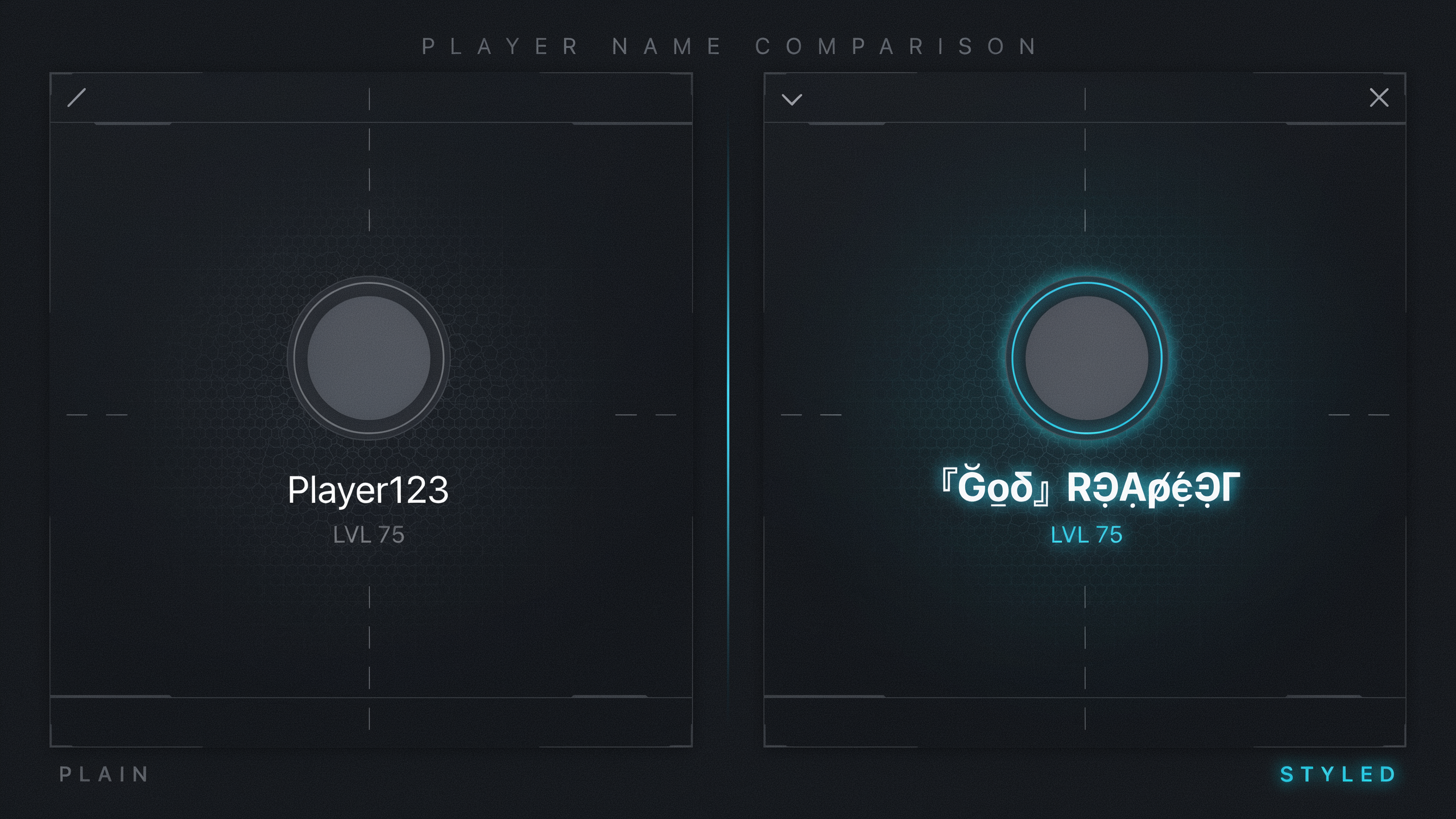
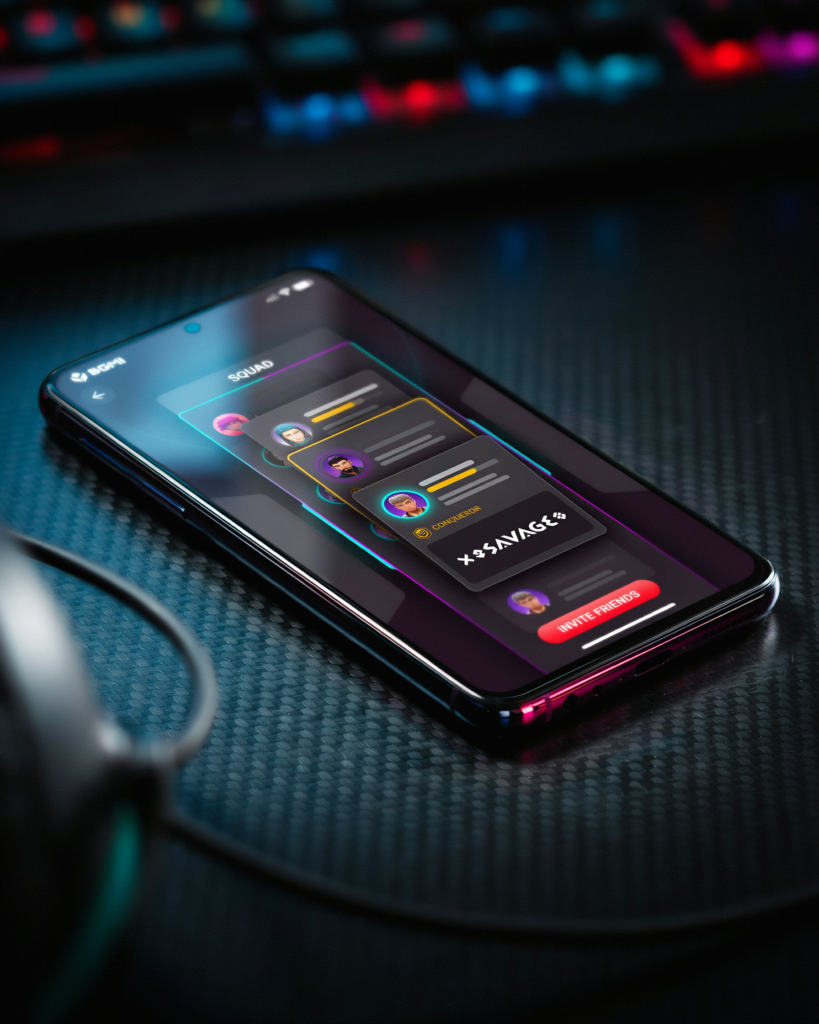
When you drop into Erangel or Sanhok, your in-game name is the first thing enemies and teammates notice. A plain text name like “Alex123” blends into the background. Adding bgmi symbols transforms it into a statement. I have seen countless players use symbols to craft names that feel personal, aggressive, or just plain cool. It is not just about looking different. It is about building an identity that sticks in the kill feed and makes opponents pause for a split second.
Symbols let you express your style without saying a word. A crown suggests royalty. A skull hints at danger. A star adds flair. These tiny characters work like a visual signature. In a game where reputation matters, a memorable name can even intimidate rivals before the first shot is fired. I remember the first time I faced a player with a name wrapped in flames and wings. I knew I was in for a tough fight.
Beyond intimidation, symbols help you stand out in a sea of generic usernames. With millions of players worldwide, finding a unique name is tough. Bgmi symbols give you near-infinite combinations. You can create something that no one else has. Whether you want to look like a pro, a troll, or a clan leader, the right symbols make your name pop on the leaderboard and in squad invites. It is the easiest way to level up your presence without spending a single UC.
Key Takeaways
- Symbols turn a plain BGMI name into a memorable identity that stands out in lobbies and kill feeds.
- Stick to common Unicode symbols like stars, hearts, and arrows to avoid display issues on different devices.
- Use a name generator to quickly combine symbols and fonts, then test the result in-game before finalizing.
- Keep your name readable by limiting symbols to one or two, and always check the 14-character limit.
- For more symbol options and style ideas, explore the pubg symbols collection.
Types of Symbols You Can Use
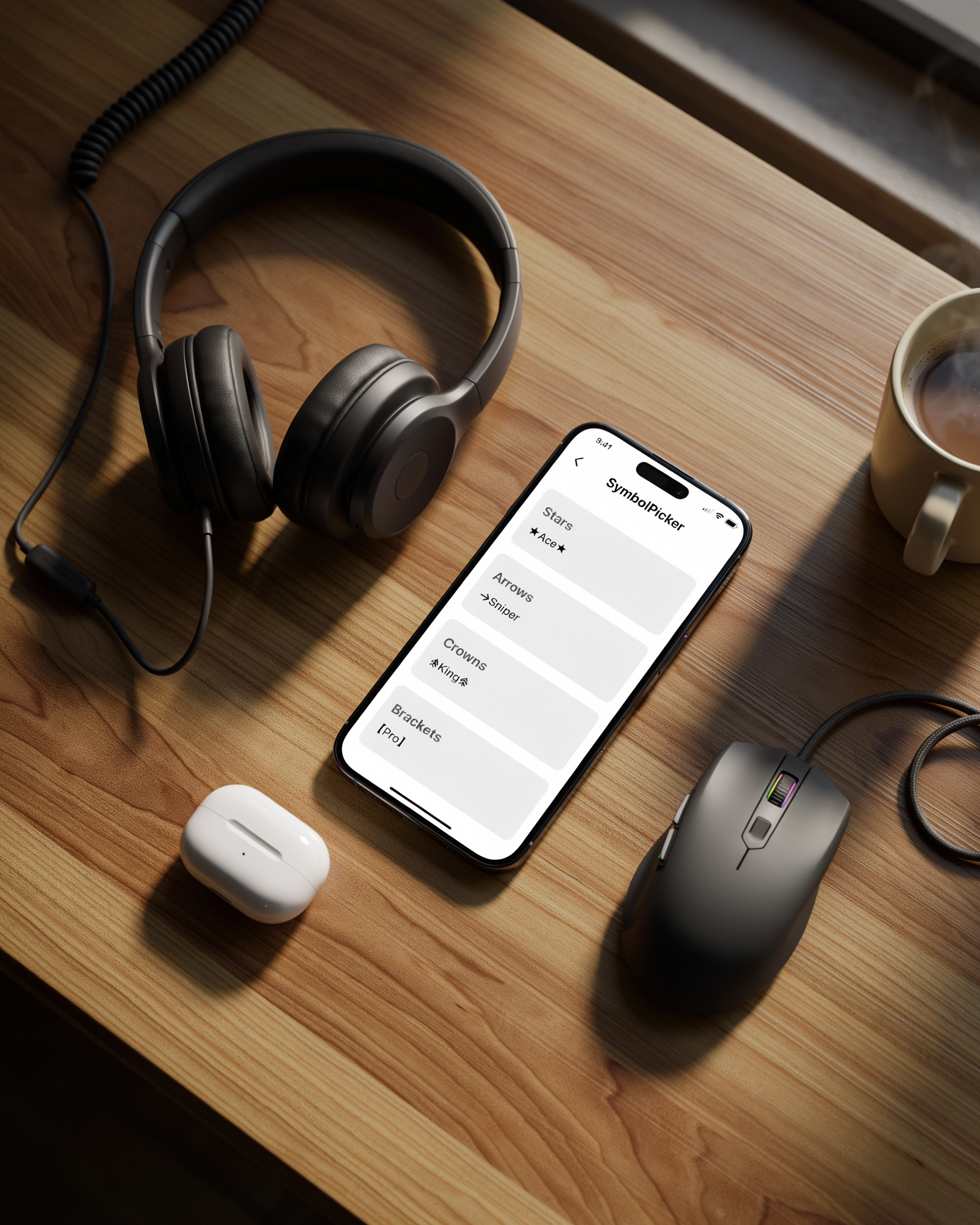
When I first started experimenting with symbols, I was surprised by how many different categories exist. It is not just about throwing a random star into your name. The symbols you choose can shape your entire in-game identity, from intimidating to playful. I have broken them down into four main types that work reliably in BGMI.
Special Characters are the bread and butter of name styling. These include stars (★), hearts (♥), musical notes (♪), and arrows (→). They are part of the standard Unicode set. They display correctly on almost every device. I use a star on either side of my name for a clean, symmetrical look. It never fails to render.
Unicode Symbols go a step further. Think of crowns (♛), chess pieces (♞), zodiac signs (♈), and currency symbols (¥). These are less common. That helps your name stand out in the lobby. I have noticed that some Unicode symbols appear slightly different on iOS versus Android. The core design remains intact. A crown symbol before your name instantly signals authority.
Emojis are a newer addition to the symbol toolkit. While not all emojis are supported, many simple ones like the fire (🔥), skull (💀), and sparkles (✨) work perfectly. I avoid complex emojis with skin tones or flags. They often show as blank squares. A single fire emoji after a name like “Blaze🔥” is simple and effective.
Stylized Fonts are not technically symbols, but they pair beautifully with them. By using a bgmi name generator, you can convert regular text into fancy Unicode fonts like 𝕲𝖔𝖙𝖍𝖎𝖈 or 𝓒𝓾𝓻𝓼𝓲𝓿𝓮. These fonts are actually special Unicode characters that look like letters but are read as symbols by the game. Combining a stylized font with a crown symbol creates a name that is both readable and regal. Overly complex fonts might not display on all devices. I always test my name on a friend’s phone before finalizing it.
How to Copy and Paste Symbols
Getting symbols into your name is easier than it looks. Once you know the steps you can switch up your style in seconds. I remember the first time I tried to add a crown symbol to my PUBG Mobile name and ended up pasting a blank box instead. After a bit of trial and error I worked out a reliable method that works on both mobile and PC. You won’t have to go through the same frustration.
The simplest way is to use a dedicated bgmi name generator that already has a library of symbols. Just tap or click the symbol you want. It copies to your clipboard automatically. If you prefer to grab symbols from a plain text list like the one on our pubg symbols page, highlight the character with your finger or mouse, select “Copy,” and you’re ready to paste.
On mobile, open BGMI and tap the name-change field. Long-press where you want the symbol to appear and choose “Paste.” If the symbol shows as a blank or a question mark, it means the game doesn’t support that specific character. Stick to the common Unicode symbols like stars, hearts, and arrows. You’ll rarely run into trouble. On PC, the process is the same: copy from a website, then press Ctrl+V in the name field. Some players keep a Notepad file with their favorite symbols so they can quickly copy and paste without reopening a browser.
One trick I use is to paste the symbol into a text message or notes app first. This makes sure it displays correctly before committing to it in-game. It saves rename cards and avoids the annoyance of an invisible character messing up your carefully chosen bgmi names. If you’re combining multiple symbols, paste them one at a time to check each one. A single unsupported character can break the whole name.
Using a Stylish Name Generator
Sometimes I don’t want to spend ten minutes scrolling through symbol lists and testing combinations. That’s when I reach for a bgmi name generator that already has symbols baked into its suggestions. These tools pull from a curated library of Unicode characters. They let me preview how symbols look next to my chosen text before I commit to anything.
Most generators work the same way. I type a base word like “Shadow” or “Rage”, pick a style from a dropdown (fancy, glitch, invisible, or classic), and the tool instantly shows me a list of names with symbols inserted at the start, middle, or end. I can then tap any result to copy it straight to my clipboard. The pubg symbols used are the same ones I would copy manually from a symbol page. The generator saves me the trial and error of figuring out which symbol fits where.
One thing I appreciate about a dedicated stylish name generator is that it often includes region-specific symbols that work well with Hindi or Tamil script names. That is a big plus for the Indian BGMI community. I also notice that some generators let me combine multiple symbol styles in one name, like adding a crown at the front and a star at the back, all in one click. This is especially handy when I want to mimic the look of a pro player’s name without manually hunting down each character.
After I generate a name, I always test it in a custom room or training mode first. Not every symbol displays correctly on all devices. But overall, using a generator has cut my name-creation time from fifteen minutes to under two. I end up with a name that still feels personal and stylish.
Creating a Name with Symbols on Mobile
I have spent countless hours tweaking my in-game name on my phone. Adding symbols on mobile is easier than most players think. The first thing I do is open a notes app or a browser tab with a collection of pubg symbols ready to copy. On Android, I rely on the default Gboard keyboard. It has a dedicated symbols section when you press the “?123” key and then the “=\<" key. You will find hearts, stars, and musical notes there. For more exotic characters like crowns or skulls, I use a dedicated Unicode character app from the Play Store. On iOS, the built-in keyboard also offers a good range of symbols under the "#+=" key. You can long-press certain keys to reveal hidden variations.
A common pitfall is pasting a symbol that looks fine in the text field but turns into a blank box in the game lobby. This happens because BGMI uses a specific font that does not support every Unicode character. I always test a new symbol by entering it in the name-change screen and checking the preview before spending my rename card. Another trick I use is to combine symbols with letters from a bgmi name generator to see how the whole name renders. If a symbol breaks the name or gets rejected, I swap it for a similar one from my list. Remember that BGMI limits names to 14 characters. Every symbol counts. With a bit of patience, you can craft a name that truly stands out in the lobby.
Creating a Name with Symbols on PC
When I play BGMI on PC through an emulator like Gameloop or BlueStacks, using symbols in my name is even easier than on mobile. The bigger screen and keyboard shortcuts make copying and pasting a breeze. I simply open a web browser, head to a bgmi name generator or a symbols collection page, and select the symbol I want. Then I hit Ctrl+C to copy it, switch to the BGMI login screen, and press Ctrl+V to paste it into the name field. This works for most emulators. Some may require you to use the in-game paste function by right-clicking.
Another method I love on PC is using the built-in Character Map tool. On Windows, I press the Windows key, type “Character Map,” and open the app. From there, I can browse thousands of Unicode symbols, including arrows, stars, and special letters. I check the “Advanced view” box, search for “Unicode” to filter, and then copy any symbol directly into my BGMI name. This gives me access to a huge range of pubg symbols without needing an internet connection. For Mac users, the Character Viewer (Ctrl+Cmd+Space) offers a similar experience.
One tip: if you are using the Steam version of PUBG, the process is identical. I just make sure the game is in windowed mode so I can alt-tab quickly between the browser and the game. Sometimes the paste shortcut might not work in fullscreen. I switch to borderless windowed mode. With these simple steps, I can create a stylish BGMI name in seconds on my PC.
Top 50 Symbols for Stylish Names
I have spent hours testing which symbols display correctly in BGMI. I am sharing the ones that work every time. This table gives you 50 symbols, their Unicode codes, and a quick visual so you can pick the ones that match your style. You can use these as a pubg symbols reference whenever you need fresh ideas.
| Symbol | Name | Unicode | Visual |
|---|---|---|---|
| ★ | Black Star | U+2605 | ★ |
| ☆ | White Star | U+2606 | ☆ |
| ✦ | Black Four Pointed Star | U+2726 | ✦ |
| ✧ | White Four Pointed Star | U+2727 | ✧ |
| ♛ | Black Chess Queen | U+265B | ♛ |
| ♔ | White Chess King | U+2654 | ♔ |
| ♥ | Black Heart Suit | U+2665 | ♥ |
| ❤ | Heavy Black Heart | U+2764 | ❤ |
| ♪ | Eighth Note | U+266A | ♪ |
| ♫ | Beamed Eighth Notes | U+266B | ♫ |
| ☠ | Skull and Crossbones | U+2620 | ☠ |
| ☯ | Yin Yang | U+262F | ☯ |
| ☮ | Peace Symbol | U+262E | ☮ |
| ✌ | Victory Hand | U+270C | ✌ |
| ⚡ | High Voltage | U+26A1 | ⚡ |
| ☢ | Radioactive | U+2622 | ☢ |
| ☣ | Biohazard | U+2623 | ☣ |
| ➳ | White-Feathered Rightwards Arrow | U+27B3 | ➳ |
| ➤ | Black Rightwards Arrowhead | U+27A4 | ➤ |
| ➜ | Heavy Round-Tipped Rightwards Arrow | U+279C | ➜ |
| ➔ | Heavy Wide-Headed Rightwards Arrow | U+2794 | ➔ |
| ← | Leftwards Arrow | U+2190 | ← |
| → | Rightwards Arrow | U+2192 | → |
| ↑ | Upwards Arrow | U+2191 | ↑ |
| ↓ | Downwards Arrow | U+2193 | ↓ |
| ↔ | Left Right Arrow | U+2194 | ↔ |
| ↕ | Up Down Arrow | U+2195 | ↕ |
| ♚ | Black Chess King | U+265A | ♚ |
| ♛ | Black Chess Queen | U+265B | ♛ |
| ♜ | Black Chess Rook | U+265C | ♜ |
| ♝ | Black Chess Bishop | U+265D | ♝ |
| ♞ | Black Chess Knight | U+265E | ♞ |
| ♟ | Black Chess Pawn | U+265F | ♟ |
| ☀ | Black Sun with Rays | U+2600 | ☀ |
| ☁ | Cloud | U+2601 | ☁ |
| ☂ | Umbrella | U+2602 | ☂ |
| ☃ | Snowman | U+2603 | ☃ |
| ☄ | Comet | U+2604 | ☄ |
| ★ | Black Star | U+2605 | ★ |
| ☆ | White Star | U+2606 | ☆ |
| ☇ | Lightning | U+2607 | ☇ |
| ☈ | Thunderstorm | U+2608 | ☈ |
| ☉ | Sun | U+2609 | ☉ |
| ☊ | Ascending Node | U+260A | ☊ |
| ☋ | Descending Node | U+260B | ☋ |
| ☌ | Conjunction | U+260C | ☌ |
| ☍ | Opposition | U+260D | ☍ |
| ☎ | Black Telephone | U+260E | ☎ |
| ☏ | White Telephone | U+260F | ☏ |
| ☐ | Ballot Box | U+2610 | ☐ |
I like to combine two or three symbols around my name, like ★彡[Name]彡★ or ☠☠[Name]☠☠. The key is to test them in the game because some symbols might show as a blank box on certain devices. I always check with a bgmi name generator that previews the symbols before I finalize my name. For a more aggressive look, I add skulls or arrows. For a softer style, stars and hearts work best. You can also mix symbols with different fonts, but that is a topic for another section. Just remember that not every symbol works in BGMI. Stick to this list and you will avoid the dreaded empty square in your name.
Combining Symbols with Fonts for Unique Names
I’ve found that the real magic happens when you pair symbols with stylized fonts. A plain name like “Shadow” becomes “𝕾𝖍𝖆𝖉𝖔𝖜” with a bold font. Adding a crown symbol turns it into something truly eye-catching. The trick is to pick a font style that matches the vibe of your symbols. For a royal look, I combine crown or king symbols with a gothic or bold font. For a futuristic feel, I use glitch or double-struck fonts alongside tech symbols like arrows or brackets. A pubg font symbol converter makes this process effortless. These tools let you type your name, choose a font, and then paste in your symbols. I often test a few combinations before settling on one that feels balanced.
The key is to avoid clutter. Too many symbols or an overly complex font can make your name hard to read. I stick to one or two symbols and a font that enhances, not overwhelms, the text. When I want a clean, modern look, I pair a simple italic font with a single star or dot symbol. For a more aggressive style, I use a bold serif font with a skull or cross symbol. The goal is to create a name that looks intentional and polished, not like a random jumble. By experimenting with different symbols and fonts, you can craft a name that truly stands out in the lobby.
Common Mistakes When Using Symbols
When I first started experimenting with symbols, I made a lot of errors that made my name look messy or even invisible. Here are the most common mistakes I see players make, and how you can avoid them.
- Using unsupported symbols. Not every Unicode character works in BGMI. Some symbols show up as blank boxes or question marks in-game, even if they look fine in a bgmi name generator. I always test a symbol by pasting it into the game’s name field before finalizing.
- Exceeding the character limit. BGMI allows only 14 characters for your name. Many symbols count as multiple characters. I once tried to fit a crown and a star alongside a long name. The game cut off the last few letters. Count carefully. Each symbol can take 1-3 character slots.
- Making the name unreadable. I’ve seen names that are just a jumble of symbols with no actual text. While it looks cool, nobody can search for you or remember your ID. I recommend using one or two symbols to frame a readable name, like ‘★Shadow★’ instead of ‘★☠♛’.
- Copying invisible characters incorrectly. Some players try to use invisible Unicode characters to create a blank name. BGMI often blocks these. If you want an invisible name, check out our guide on bgmi invisible name tricks that actually work.
- Ignoring device compatibility. A symbol that displays perfectly on Android might appear as a tofu box on iOS. I always ask a friend on a different device to check my name after I change it.
By steering clear of these pitfalls, you’ll have a stylish name that works everywhere. For a full list of safe symbols, see our pubg symbols collection.
How to Fix Symbol Display Issues
I have run into this problem more times than I can count. You spend ten minutes crafting the perfect name with symbols, copy it into the game, and instead of a cool crown or a flame you see a blank box or a question mark. It is frustrating. The fix is usually simple. Most display issues come down to two things: your device’s font support and the game’s Unicode handling. BGMI and PUBG Mobile rely on the system fonts installed on your phone or tablet. If a symbol is not part of those fonts, the game cannot render it.
The first thing I check is whether the symbol works in a plain text editor. Open your Notes app, paste the symbol, and see if it shows correctly. If it does not, the symbol is likely too new or too obscure for your device’s operating system. On Android, you can sometimes fix this by installing a font that covers more Unicode blocks. That is a bit technical. For most players, the easier path is to swap the problematic symbol for a similar one from a bgmi name generator that pre-tests compatibility. I have found that symbols from the Basic Latin, Latin-1 Supplement, and common dingbat ranges almost always work.
Another culprit is a game update. After a major patch, BGMI sometimes changes how it parses text input. A symbol that worked last week might suddenly break. When this happens, I head to the official BGMI Discord or Reddit to see if others are reporting the same issue. If it is a widespread bug, the developers usually fix it in a hotfix. In the meantime, you can try using a pubg symbols collection that is actively maintained and strips out broken characters.
Finally, do not forget about the character limit. BGMI allows up to 14 characters for a name. Some symbols count as more than one byte. If your name is too long, the game might truncate it and break the symbol sequence. I always test my name in the game’s rename screen before spending a rename card. If you see boxes, try a shorter combination or use a bgmi names style that relies on fewer special characters.
Creative Name Ideas Using Symbols
I’ve spent hours testing different combinations. The right symbols can completely transform a plain name into something that gets noticed in the lobby. Below are 15 hand-picked BGMI name ideas that use symbols in creative ways, broken down by style so you can find one that matches your vibe.
| Style | Name Idea | Symbols Used | Why It Works |
|---|---|---|---|
| Aggressive | 『Đ깍ħ』 | 『』, Ę, ą, Ť, ħ | The heavy brackets and diacritics give a dark, intimidating look. |
| Aggressive | ×͜× S L A Y E R | ×͜× | The cross symbol adds a sharp, edgy feel perfect for rushers. |
| Aggressive | ꧁༒☬H E A D S H O T☬༒꧂ | ꧁, ༒, ☬, ꧂ | Ornate wings and a cross create a legendary warrior vibe. |
| Funny | Noob 乁(ツ)ㄏ | 乁, ツ, ㄏ | The shrug emoticon adds a self-deprecating, humorous touch. |
| Funny | Loot G̶o̶b̶l̶i̶n̶ | ̶ (strikethrough) | Strikethrough text is unexpected and makes people chuckle. |
| Funny | Camping 〠 King | 〠 | The postal mark looks like a tent, a clever nod to camping playstyle. |
| Pro | S c o p e ツ | ツ | Clean spacing and a simple smiley keep it sleek and memorable. |
| Pro | Z Ξ U S | Ξ | The Greek letter adds a god-like, authoritative presence. |
| Pro | A C E ♛ | ♛ | The crown symbol instantly signals skill and dominance. |
| Stylish | ★彡 S T A R | ★, 彡 | Stars and streaks create a flashy, eye-catching effect. |
| Stylish | 『Mystic』 | 『』 | Hollow brackets give a modern, minimalist aesthetic. |
| Stylish | ꧁༺J O K E R༻꧂ | ꧁, ༺, ༻, ꧂ | Ornamental brackets with a diamond heart make it look premium. |
| Mysterious | V O I D ㊙ | ㊙ | The circled secret symbol hints at hidden skills. |
| Mysterious | G H O S T 〄 | 〄 | The industrial symbol looks cryptic and cool. |
| Mysterious | N I G H T ۞ | ۞ | The star of David adds an ancient, mystical feel. |
When I build these names, I often start with a bgmi name generator to get a base word, then layer in pubg symbols that match the mood. For example, if you want something aggressive, pick symbols with sharp angles like × or ༒. For funny names, emoticons and strikethrough text work wonders. Pro players usually keep it minimal. One well-placed symbol like a crown or a Greek letter is enough to stand out without looking cluttered. Remember, the goal is to make your name readable while still unique. Test your creation in the game’s name change screen to ensure all characters display correctly before finalizing.
Frequently Asked Questions
How do I add symbols to my BGMI name?
You can add symbols by copying them from a website or a dedicated bgmi name generator and pasting them into the in-game name change field. On mobile, long-press the text box and select paste. On PC, use Ctrl+V. Some symbols might not display correctly if your device lacks font support. Test a few options.
Which symbols are allowed in BGMI names?
BGMI allows most Unicode symbols, including stars, hearts, arrows, and special characters like ™ or ©. However, symbols that resemble offensive content or are too complex may be blocked. Stick to common pubg symbols from trusted lists to avoid issues. Avoid using symbols that look like letters to bypass the profanity filter. This can lead to a temporary ban.
Why is my BGMI name with symbols showing as blank or boxes?
This usually happens when the symbol isn’t supported by the game’s font or your device’s operating system. Try using simpler, more widely supported symbols like ★, ♛, or ✦. If the name appears invisible, you might have accidentally used a zero-width character. Check our guide on bgmi invisible name tricks to understand how these work and how to fix them.
Can I use the same symbol multiple times in my BGMI name?
Yes, you can repeat symbols as many times as you like, as long as the total character count stays within the game’s limit (usually 14 characters). Repeating symbols like ✨✨✨ can create a stylish effect. Be careful not to make the name too cluttered. A balanced design with one or two symbols often looks cleaner and more professional.
How do I create a stylish BGMI name with symbols and fonts?
Combine symbols with different font styles using a bgmi names generator that offers both. For example, pair a bold font with a crown symbol (♛) for a royal look. I recommend starting with a simple base name, adding one symbol at the front and back, then testing how it appears in the game lobby before finalizing.
For more inspiration, check out the symbols page on our site. It has a curated list that’s updated regularly. You can also browse name ideas to see how other players combine characters. And if you want to understand why a unique username matters, read our piece on why your PUBG username matters. These resources will help you get the most out of your BGMI symbols.
External sources like Unicode.org offer complete character charts if you want to dig deeper into what’s available. Just remember that not every character on those charts will work in the game. Stick to the ones we’ve tested here and you’ll be fine.