Copy Paste Fancy Font for PUBG: Stylish Text Made Easy
Copy paste fancy font is the quickest way to stop looking like every other default name in the lobby. PUBG Mobile and BGMI give everyone the same plain text, so your kill feed entry blends into a wall of identical letters. A fancy font flips that. You type a normal name, the generator converts it into Unicode symbols and special characters that render as stylish text, and you paste it straight into the game. No downloads, no settings to tweak. We built PUBG Name Generator 2026 around this exact workflow because players kept asking for a faster way to stand out without breaking the game’s rules.
Key Takeaways
- Copy paste fancy font is just Unicode text styling: symbols and special characters that look like a different font but paste as plain text into PUBG.
- You don’t install anything. Type your name, pick a style, tap copy, then paste it straight into the in-game name field.
- Only certain Unicode ranges survive PUBG’s name filter. Curvy, boxed, and small-caps styles usually work; emoji and some heavy symbol fonts get stripped.
- PUBG caps names at 14 characters, and each fancy symbol counts as one character, so a styled name eats your limit fast.
- Pubgnamegenerator.net gives you a free PUBG Name Generator 2026 with copy-ready stylish text, no signup and no download.
What Copy Paste Fancy Font Actually Means
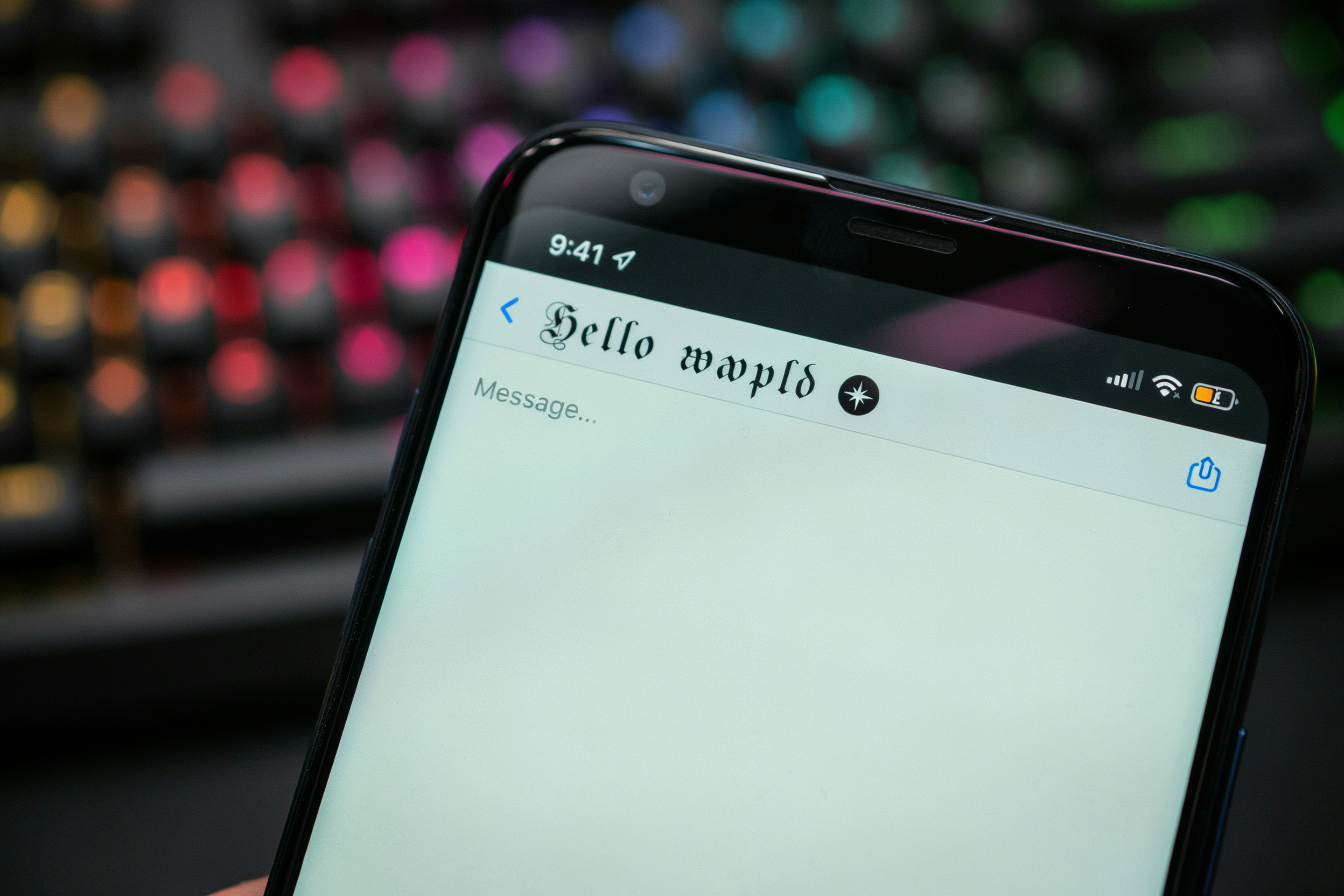
When you copy paste fancy font text into PUBG, you are not installing a new typeface. You are pasting Unicode characters that only look like a different font. The game renders them with its standard font engine, but the characters themselves come from special Unicode blocks: mathematical alphanumeric symbols, fullwidth forms, circled letters, and parenthesized letters. That is why a name like “ℭ𝔯𝔦𝔪𝔰𝔬𝔫” appears styled even though no font file changed on your device.
The practical difference matters. A real font swap would change how every letter in your name looks. A fancy font copy paste approach swaps individual characters for lookalike symbols from other scripts. Some of those symbols are nearly identical to normal letters, while others are clearly decorative. PUBG accepts many of these characters, but not all of them. The game’s text renderer has a limited glyph set, so unsupported symbols show up as empty boxes or question marks in the lobby, kill feed, and friend list.
That is the core trade-off with fancy text. The more visually distinct a symbol is, the more likely it is to break. Circled letters and bold script variants usually survive. Obscure symbols from less common Unicode blocks often do not. Before you commit to a name, paste it into a PUBG chat message or the rename field and check every character. If a box appears, swap that symbol for a safer alternative. A name that renders cleanly on your screen will usually render cleanly for other players too, since everyone uses the same in-game font system. The Unicode Consortium’s UTF FAQ explains how these character encodings work across different platforms.
Why PUBG Players Use Stylish Fonts
Most players don’t pick a fancy name for the aesthetics alone. They pick it because the kill feed moves fast, and a plain name disappears in the scroll. A stylish font name with a symbol or two catches the eye for half a second longer, and that half second is often enough for a squadmate to notice you got the knock instead of the enemy.
Squad recognition works the same way. When four teammates run similar cool font names, you can tell who’s who without opening the map. It’s a practical thing, not a vanity thing. We’ve seen full squads use matching symbols before their names so callouts stay clear in the middle of a fight.
Then there’s the personal branding side. Some players stream, some post clips, and a name that reads cleanly on screen helps people remember you. A fancy name won’t make you play better, but it does make your highlights easier to spot when someone scrolls back through a replay. That’s the honest trade-off: it’s a small edge in visibility, nothing more.
How to Copy and Paste a Fancy Font Name
Getting a fancy name into PUBG takes less than a minute once you know the flow. We use Pubgnamegenerator.net for this because the whole process happens on one screen, and every style is already formatted for the game. No extra apps, no manual symbol hunting.
Start by opening the generator and typing your base name into the box. This can be your current username, a short word you like, or even two words you want combined. The tool instantly renders that name in dozens of pubg font styles, so you can see exactly how each one will look before you commit.
Scroll through the previews and pick the style that matches the vibe you want. Some players go for sharp, angular letters that look aggressive in kill feeds. Others prefer rounded, bubbly text that stands out in the lobby. There is no wrong choice here, just pick what feels right for your playstyle.
Once you tap the copy button next to your chosen style, the fancy text is already on your clipboard. Open PUBG, tap your profile, and select the option to change your name. Long-press the name field and choose paste. The styled characters drop in exactly as they appeared in the generator.
One thing to check before you save: make sure no invisible characters snuck in. Some fancy fonts include zero-width spaces that PUBG counts toward the character limit. If your name looks shorter than expected after pasting, delete it and copy again from a cleaner style. Pubgnamegenerator.net keeps its outputs clean, but it is worth a quick visual check.
And that is it. You have a name that reads as a stylish font in-game, without typing a single special character by hand.
Which Fancy Text Styles Survive in PUBG
Not every fancy font copy paste result makes it into the game. PUBG Mobile and BGMI both run a character filter that quietly strips out certain Unicode ranges, and the rules are not identical across Android, iOS, and the PC emulator versions. What looks fine in the generator preview can turn into blank boxes or plain letters once you hit save.
Small caps usually survive. These are the letters that look like capitals but sit at lowercase height, and they come from the phonetic extensions block. Superscript letters also tend to pass the filter, which is why so many PUBG names use raised text. A handful of symbols, like the star, the heart, and a few arrows, make it through on most devices. The Ultimate Fancy Font Generator: Stylish PUBG Text in Seconds leans on these safer ranges for exactly that reason.
What often fails is the heavy blackletter and cursive styles. Those characters come from the mathematical alphanumeric symbols block, and PUBG’s filter rejects a large chunk of it. You will see the name in the generator, copy it, paste it into the game, and get a string of squares or a name that reverts to plain text. It is not a bug on your end. The game simply does not support those code points.
Platform differences matter. Android tends to be more forgiving than iOS, and the emulator sometimes accepts characters the mobile clients reject. A name that works on your friend’s Android phone can break on your iPhone, so test before you commit a rename card. If you want a stylish font that holds up across devices, stick to small caps, superscript, and the few symbols that have been stable for years. The fancier the font, the higher the chance it gets filtered.
Character Limits and Name Rules
PUBG Mobile and BGMI cap in-game names at 14 characters. That limit counts every single symbol, space, and special character you paste in, not just the letters. A fancy font name built from Unicode math letters or enclosed alphanumerics still eats one slot per character, so a name that looks short on screen can quietly hit the wall.
Most rejection messages come from names that exceed 14 characters after conversion. When you copy paste fancy font text, the generator often swaps a plain letter for a bold or script equivalent that is still one character, but some styles add combining marks or decorative wrappers. Those invisible extras count too, and PUBG’s filter reads them as separate characters. A base name of 10 letters can balloon to 16 or 18 once the style is applied.
Keep the base name at 10 characters or fewer. That leaves room for a couple of decorative symbols without crossing the limit. If you want a two word name, try something like a short adjective plus a noun, then test the styled version in the game’s rename field before spending rename cards. The preview inside Ultimate Fancy Font Maker for PUBG: Stylish Names in Seconds shows exactly how many characters the final output uses, so you can trim before you commit.
Also, PUBG blocks certain Unicode ranges outright. Some fancy text styles render fine in a browser but turn into blank boxes or question marks inside the game. The safest approach is to stick with styles built from standard Latin letter variants, which the generator labels clearly. If a character does not display in the in-game chat preview, it will not display in your name either.
Copy Paste Fancy Font for BGMI
BGMI players ask us about this all the time, and the answer is simple: the same Unicode approach works. Krafton’s Indian version of the game accepts the same special characters and styled letters that PUBG Mobile does. You can copy paste fancy font text into the BGMI name field and it will render in most cases, as long as you stay within the character limit and avoid symbols the game filters out.
The name field in BGMI is capped at 14 characters, same as PUBG Mobile. That’s tight when you’re trying to fit a stylish name plus a symbol or two. We usually suggest picking one fancy text style and adding a single symbol at the start or end. Trying to stack three different font styles in one name looks messy and eats up the limit fast.
One thing that catches BGMI players off guard: some Unicode characters that work in PUBG Mobile get stripped or replaced in BGMI after an update. We can’t promise a specific list because the filter changes, but the safest route is to test your name in the lobby before you commit to a rename card. If the preview shows blank boxes or the name reverts to plain text, try a simpler style.
Our tool at PUBG Name Generator 2026 works the same way for BGMI: type your base name, pick a style, and tap to copy. You can also grab symbols from our BGMI Symbols: The Complete Guide to Stylish In-Game Names page if you want to add a crown or a flame without breaking the name. Keep it short, test it early, and you’ll have a clean stylish name that actually shows up in matches.
Common Mistakes That Break Fancy Names
Most failed fancy names come down to a handful of repeating errors. The first is pasting a symbol that PUBG’s filter silently drops. You’ll see the name in the generator preview, but in the lobby it renders as a blank space or a plain letter. If a character isn’t showing up in-game, it wasn’t supported, no matter how clean it looked in the preview.
Spaces are the second big one. PUBG Mobile allows a single space in a name, but many players paste a fancy text block that carries invisible spacing characters from the generator’s formatting. Those invisible characters count against your limit and can trigger a rejection. Copy from the plain output field, not the styled preview box, and delete any trailing spaces before you hit confirm.
Invisible characters deserve their own warning. Some generators insert zero-width characters to make a name look longer or to bypass filters. PUBG’s anti-cheat system flags these on occasion, and a flagged name can get reset to a default. If you want a blank-looking name, use the game’s own rename card rather than stacking invisible Unicode.
Another common slip is copying from the wrong field. A generator might show a fancy text sample, a raw output, and a formatted preview all on one screen. Copy the raw output. The formatted preview often carries hidden markup that pastes as gibberish in the game’s text box.
Finally, don’t mix two different fancy text styles in one name. A half-styled name looks broken even when every character is technically valid. Pick one style, keep the name short enough to read at a glance, and test it in a custom room before spending a rename card on it.
Using the Generator Without Overdoing It
We get it. You open a Ultimate Fancy Font Generator: Stylish PUBG Text in Seconds and suddenly every symbol looks tempting. But a name buried under five different fonts, three crowns, and a wall of stars is hard to read in the kill feed. Teammates need to call you out fast. If they squint at your tag for two seconds, you’ve already lost the fight.
Pick one flourish. Maybe a single stylish font for the whole name, or one symbol on each side. That’s usually enough to stand out without turning your username into visual noise. A clean name with one accent reads as deliberate. A cluttered one reads as trying too hard.
Readability matters more than you think. When someone spectates you after a clutch, they should remember the name, not struggle to parse it. The same logic applies to clan tags and custom room titles. If your squad runs matching fancy text, keep the style consistent across all four names so the team reads as a unit.
We also suggest testing your name in a few places before you commit. Look at it in the lobby, in the kill feed, and on the results screen. Some symbols render fine in one spot and break in another. If a character shows as a box, swap it out. The Ultimate Fancy Font Maker for PUBG: Stylish Names in Seconds lets you preview styles side by side, which helps you spot the difference between subtle and unreadable before you spend rename cards on a mistake.
One more thing: don’t change your name every week. A consistent tag builds recognition. Pick something you’ll still like in a month, then leave it alone. The best fancy names are the ones people can actually read.
Frequently Asked Questions
Does copy paste fancy font actually work in PUBG?
Yes, most fancy text styles show up in PUBG Mobile and BGMI. The game supports a wide range of Unicode characters, so symbols, cursive letters, and small caps usually render fine. Some older devices or emulator builds may display boxes instead, but on current Android and iOS versions the text appears as intended.
Is using a stylish font in my PUBG name allowed?
Yes. Krafton does not ban players for using Unicode symbols or fancy letters in their username. The only restriction is that the name must fit within the character limit and not contain offensive content. If the game accepts the name, you are safe to use it.
Why do some symbols show as boxes or question marks?
That happens when the device or game client does not have a glyph for that specific Unicode character. Some rare symbols from newer Unicode blocks are not supported on older Android versions. Stick to common symbols like stars, hearts, and arrows, which render reliably across devices.
Can I use copy paste fancy font in BGMI too?
Absolutely. BGMI uses the same text rendering system as PUBG Mobile, so any fancy font that works in one will work in the other. The BGMI Symbols: The Complete Guide to Stylish In-Game Names covers the best symbol choices for Indian servers.
How do I fix a fancy name that got rejected?
Usually the name is too long or contains a character the game blocks. Shorten it, remove any unusual symbols, and try again. If it still fails, switch to a simpler fancy text style from PUBG Name Generator 2026 and paste that instead. The plain letters with one or two symbols tend to pass every time.