Ultimate Stylish Name Generator: Create Unique PUBG & BGMI
A stylish name generator is the fastest way to get a PUBG or BGMI name that actually sticks. In the lobby, your name is the first thing squads see before a single bullet flies. It signals if you’re a serious player, a troll, or someone who just downloaded the game. We’ve watched randoms get insta-kicked for names like “xX_Noob_Xx” while a clean, symbol-trimmed tag gets friend requests. That’s why pubg name generator tools exist, and why we built pubgnamegenerator.net as a free option that does the heavy lifting for you.
Key Takeaways
- A stylish name generator turns plain text into a unique, symbol-rich name in seconds.
- PUBG and BGMI cap names at 14 characters, so every symbol counts.
- Stick to tested Unicode symbols; unsupported ones render as blank boxes.
- You can change your name every 7 days with a rename card, and your progress stays intact.
- Free tools like pubgnamegenerator.net offer curated symbols and fonts that actually work in-game.
What a Stylish Name Generator Actually Does
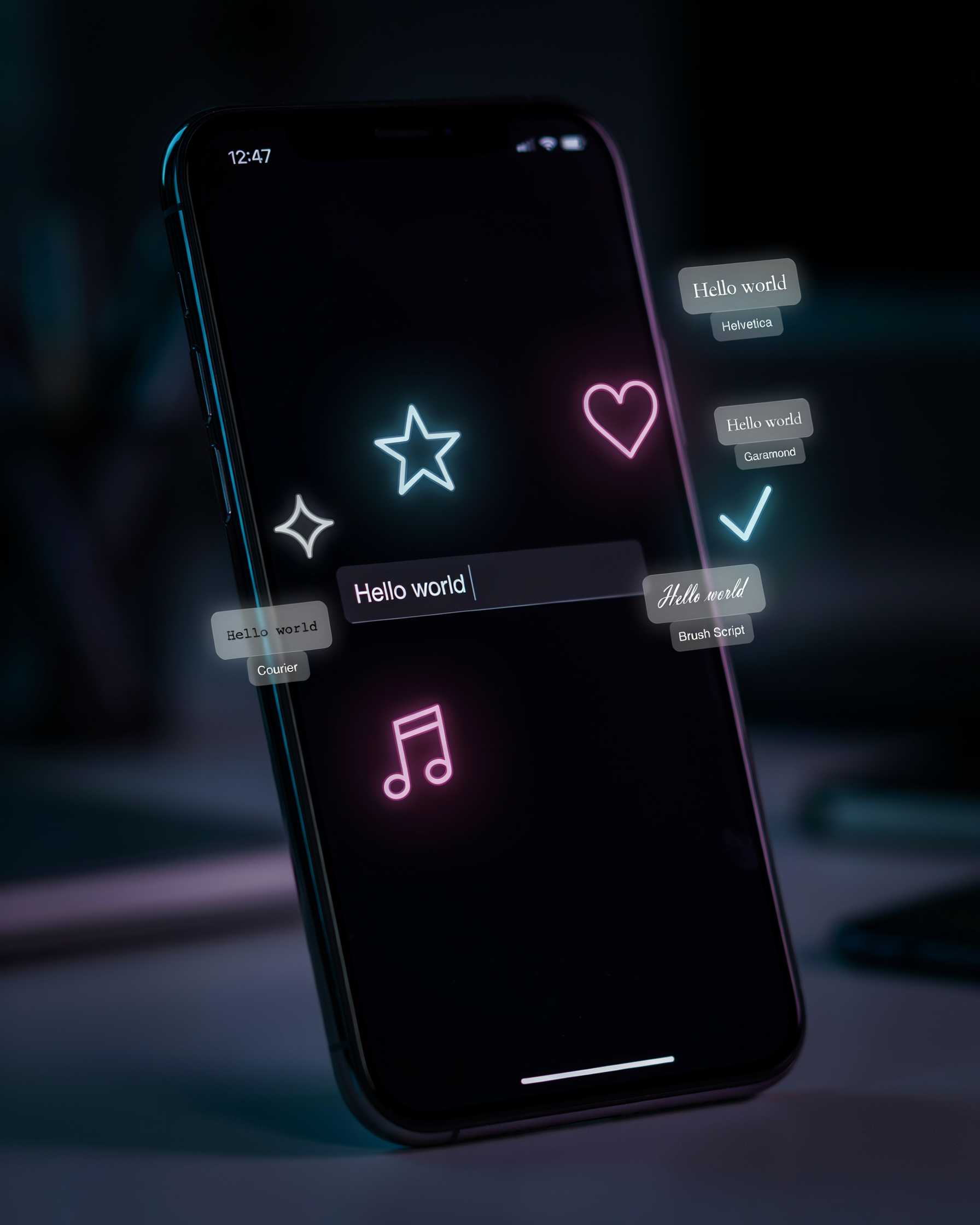
At its core, a pubg name generator is a simple tool that takes plain text and transforms it into something visually distinct. You type a base name, pick a style, and the tool layers in Unicode symbols, special characters, and alternate font glyphs that PUBG Mobile and BGMI both accept in the username field. The output is copy-paste ready, so you don’t have to hunt down a character map or memorize a list of alt codes.
Think of it as a stylish name maker that does three jobs at once. First, it replaces standard letters with lookalike glyphs from other alphabets, like a Cyrillic “а” instead of a Latin “a,” which reads as the same letter but renders with a slightly different weight. Second, it inserts decorative symbols around or between letters, things like stars, crowns, arrows, and small geometric shapes. Third, it applies font styling through Unicode ranges that mimic bold, cursive, or outlined text without changing the underlying character set.
The real value is speed. Manually building a name with symbols means opening a separate character table, copying one glyph at a time, and hoping the game client doesn’t strip it. A generator handles that in seconds and shows you a preview before you commit. Most tools also flag characters that PUBG’s filter tends to reject, which saves you from a failed name change and a wasted rename card.
One thing to keep in mind: the generator doesn’t create meaning. It styles whatever you feed it. If you start with “Shadow” you get a styled “Shadow,” not a brand-new identity. That’s why the best results come from pairing a solid base name with a style that fits your play personality, aggressive players often lean toward sharp symbols, while support players pick cleaner, minimal accents.
How to Use a Stylish Name Generator for PUBG
Most players overcomplicate this. A pubg name generator works in four steps: pick a base word, choose a style, copy the output, and paste it into your profile. Let’s walk through each one.
Start with a base name you actually like. It can be your real nickname, a word that describes your playstyle, or something from a favorite movie. The generator will handle the styling.
Next, open the pubg stylish name generator and type that base word into the input box. You’ll see dozens of variations appear instantly: some with symbols, some with different fonts, some with both. Scroll through and pick the one that matches your vibe.
Here’s the part people mess up. When you copy the styled name, make sure you grab the entire string. Some symbols are invisible or look like spaces. If you miss one, the name won’t paste correctly. Use the copy button if the tool has one, rather than selecting the text manually.
Now open PUBG Mobile or BGMI and go to your profile. Tap the edit icon next to your current name. Paste the copied text into the field. If the game rejects it, you probably included a character that isn’t supported. Remove any emojis or unusual symbols and try again.
The bgmi stylish name generator works the same way, but BGMI sometimes handles certain Unicode symbols differently than PUBG Mobile. If a name works in one game but not the other, swap the symbol for a simpler one like a star or a heart.
One tip: test the name in a custom room before you spend rename cards. You don’t want to waste currency on a name that displays as blank boxes on other players’ screens.
That’s the whole process. Four steps, under two minutes. The generator does the heavy lifting; you just choose and paste.
Symbols and Special Characters That Work in PUBG
Not every symbol survives PUBG’s name filter. Stars, crowns, hearts, and simple arrows usually make it through. So do musical notes, checkmarks, and basic geometric shapes like triangles and diamonds. The trick is sticking to common Unicode characters that the game’s font already supports. Fancy ligatures or obscure scripts often render as blank boxes, which defeats the whole point of stylish names for pubg.
PUBG Mobile and BGMI cap names at 14 characters, and every symbol counts toward that limit. A name like ★CrownKing★ uses 12 slots, leaving almost no room for letters. We usually recommend one symbol on each side of a short base name, or a single symbol up front. Anything more gets cluttered and hard to read in the kill feed.
Our symbols page lists the characters that actually work in-game, organized by style so you can copy one without hunting through a character map. We test them against the current name filter, so you won’t waste a rename card on a symbol that shows up as a square.
One more thing: avoid stacking more than two symbols in a row. PUBG’s filter sometimes rejects names with repeated special characters, especially if they look like spam. A single crown or star reads clean and still stands out in the lobby.
Font Styles: From Bold to Cursive to Invisible
PUBG and BGMI don’t let you pick a font from a dropdown. You have to bring your own. That’s where a pubg name style font comes in. You copy a name that’s already been converted into Unicode characters that look like bold, cursive, or gothic lettering, then paste it into the rename field. The game renders those characters as text, so they show up in your profile, on the kill feed, and in squad lists.
Bold styles use fullwidth or mathematical bold Unicode blocks. They read clearly at a glance, which matters when your squad is trying to call out your name mid-fight. Cursive styles pull from script and calligraphic ranges, and they look sharp in lobby screens but can be harder to read in the heat of a match. We usually tell players to test a cursive name in a custom room before committing.
Invisible names are the extreme end of the spectrum. Instead of visible letters, the name is built from zero-width or blank Unicode characters. The game sees a valid string, but nothing renders on screen. It’s a fun trick, and plenty of players use it to stay anonymous in casual lobbies. We have a full walkthrough on how to create a PUBG invisible name, including which characters actually work and which ones get rejected.
One warning: not every Unicode character is accepted by PUBG’s name filter. Some symbols and special characters are blocked, and a name that looks fine in a text editor can fail when you hit confirm. Stick to characters that the game’s filter recognizes. Our fonts page only includes styles that have been tested in-game, so you won’t waste rename cards on a style that gets rejected.
Name Ideas for Boys, Girls, and Squads
We keep a running list of name ideas that actually look good in the kill feed, and the best ones fall into a few clear buckets. Aggressive names like RuthlessRaid, SilentTrigger, or OneTapDemon tell the lobby you’re not here to camp. Funny names like ChickenDinnerLoser, NoScopeNoHope, or LootGoblin get reactions in the pre-game chat. Pro-style names keep it short and clean: Vex, Kairo, Zeph, or Nyx read like esports tags because they’re easy to remember and hard to mispronounce.
For boys, the stylish names for boys page has a deeper set, but a few that work well are ShadowStrike, BlazeFury, VenomX, and GhostReaper. Girls’ names don’t need to be soft; ViperQueen, LunaSlayer, RogueAngel, and StormVixen hit hard and still feel personal. Squad names work best when they share a theme, so a four-stack might run AlphaWolf, BetaWolf, DeltaWolf, and OmegaWolf, or go with matching prefixes like NovaRex, NovaLynx, NovaFang, and NovaClaw.
One thing we’ve noticed: the names that survive patch updates and friend requests are the ones that don’t rely on a single special character. A name like Raven with a couple of tasteful symbols around it will outlast R̸a̸v̸e̸n̸ every time, because the second version breaks on some devices. If you want a full breakdown of which symbols actually render in PUBG Mobile and BGMI, the symbols page covers it. For now, steal any of the names above, tweak one word, and you’ve got something that’s yours.
Weapon-Inspired Names That Stand Out
Some of the most memorable PUBG names come straight from the arsenal. The M416 is the workhorse rifle most players reach for, so names like M416Maestro or M416Nightfall feel instantly familiar to anyone who’s spent time in Erangel. The AWM carries a different weight. It’s the one-shot sniper that ends fights before they start, and names built around it tend to sound calm and precise: AWMSilent, AWMWhisper, or AWMFinalWord.
Then there’s the pan. It’s the joke weapon that somehow blocks bullets and wins melee fights, which makes pan names perfect for players who don’t take themselves too seriously. PanLord, PanSlayer, or PanAndAmmo all work because they lean into the absurdity. The same logic applies to the Groza, the crate-only rifle that shreds at close range. A name like GrozaGremlin tells everyone you’re aggressive and a little unhinged.
We keep a full list of weapon-inspired names on the site, organized by gun type so you can find one that matches your playstyle. The trick is pairing the weapon with a word that says something about you. A sniper name should feel patient. A shotgun name should feel loud. A pan name should feel funny. If you can do that, the name does the talking before you ever fire a shot.
Common Mistakes That Get Names Rejected
Most rejected PUBG names fail for one of three reasons: unsupported symbols, character limits, or banned content. We’ve seen players copy a stylish name from a random site, paste it into the rename box, and watch the game refuse it without explanation. The fix is usually simple once you know what the game actually checks.
PUBG Mobile and BGMI allow a maximum of 14 characters for in-game names. That includes spaces, symbols, and every letter. If your name is 15 characters long, it won’t save. Some symbols look like they should work but don’t. The game supports a limited set of Unicode characters, and anything outside that set gets stripped or rejected. Common culprits are emoji, certain wingdings, and symbols copied from Instagram bios. If you’re using a pubg name generator, stick to the symbols it offers, because those have been tested against the game’s allowed list.
Banned characters are a separate issue. PUBG blocks names that contain profanity, hate speech, or anything that mimics an official account. The filter is aggressive, and it sometimes flags innocent combinations. Avoid names that look like “Admin”, “Moderator”, or “Krafton” with slight symbol substitutions. Region-specific restrictions also apply. Some servers block certain Unicode ranges, so a name that works on the global version might fail on the Korean or Vietnamese client. If a name gets rejected, remove one symbol at a time to isolate the problem. Usually it’s a single unsupported character hiding in the middle.
One more thing: don’t use a zero-width space or invisible character as your entire name. The game detects empty-looking names and forces a rename. A stylish name generator that respects these limits will save you the frustration of trial and error.
How to Change Your PUBG Name Without Losing Progress
Changing your PUBG name is simple, but it costs a rename card. You can buy one in the shop for 180 UC, or earn one through events and the Royale Pass. Once you have a card, go to your profile, tap the edit icon next to your name, and type the new one. The game checks the name against its rules before saving, so if it contains banned symbols or too many characters, it will reject the change and you keep the card.
Your stats, rank, friends list, and inventory stay exactly the same. The name is just a label, not a separate account. Your friends will see the new name in their list, and your match history updates to show it. Nothing about your progress resets.
There is a cooldown after each rename. You can change your name once every 7 days, so make it count. If you are not sure what to pick, test a few options in a pubg name generator first. We cover more tips in our blog, including how to avoid names that get auto-flagged.
Why pubgnamegenerator.net Is the Tool We Recommend
We’ve tested plenty of name tools, and most of them fall into the same trap: they force you to sign up, bury the good stuff behind a paywall, or hand you a list of names that look identical to everyone else’s. pubg name generator skips all of that. It’s free, there’s no account required, and every name it produces is copy-paste ready. You type a base word, pick a style, and the tool does the rest.
The real difference is the symbol and font library. Instead of a handful of generic characters, you get a curated set that actually renders inside PUBG Mobile and BGMI. That matters because some Unicode symbols look fine in a browser but turn into blank boxes in-game. The tool filters those out for you, so you’re not wasting rename cards on names that break. It also handles invisible characters properly, which is where a lot of free generators mess up.
We also like that it’s built by people who play the game. The name ideas aren’t random word soup; they follow the naming patterns that actually show up in high-tier lobbies. If you want to understand the logic behind the suggestions, the how it works page walks through the whole process in plain language. No jargon, no upsells.
One thing to be honest about: no generator can guarantee a name won’t be taken. PUBG has millions of players, so the perfect name might already exist. But this tool gives you enough variations that you’ll usually find something close within a minute or two. And because everything is copy-paste, you can try a few options in-game without retyping anything.
Frequently Asked Questions
Is a stylish name generator free?
Yes, pubg name generator is free to use. You can generate as many names as you want without paying or creating an account. Just type a base word, pick a style, and copy the result.
Does it work on BGMI?
It does. The same symbols and font characters that work in PUBG Mobile also work in BGMI. The bgmi name style ideas page shows examples made for the Indian version of the game.
Can I use symbols in my name?
Yes, but not every symbol is accepted. PUBG and BGMI allow a limited set of Unicode characters. Stick to the ones listed on our symbols page to avoid errors when you save the name.
Will my name get banned?
Usually not. A name made with a stylish name generator is just letters and symbols, so it won’t trigger a ban on its own. The risk comes from offensive words or trying to bypass the character limit with hidden characters. Keep it clean and you’ll be fine.
How do I make an invisible name?
PUBG accepts a specific Unicode blank character that looks like an empty space. Copy it from our invisible name guide, paste it into the name field, and save. It works in most lobbies, though some players report it resets after updates.