Cool Text for PUBG: Make Your Name Stand Out
Cool text in PUBG means a username that uses symbols, special characters, or stylized fonts to look different from the plain letters everyone else types. You see it in kill feeds and lobby lists all the time: names with slashes, stars, fancy Unicode letters, or characters that make the whole thing feel sharper. Players chase this because a name is the first thing opponents notice before a match even starts, and a memorable one sticks around after you wipe a squad.
We get asked about this constantly on pubgnamegenerator.net, usually from players who have tried to paste something fancy into the name field and watched it get rejected. The truth is that PUBG Mobile and BGMI accept a specific set of Unicode characters, not every symbol a website can generate. That is why some names work and others fail. The difference between a name that looks clean in the lobby and one that shows up as boxes or question marks comes down to which characters the game actually supports.
What counts as cool text has shifted over time. Early on, a few stars or a slash on each side was enough. Now players layer multiple styles: a stylized font for the main word, a symbol at the front, maybe a small character at the end. The goal is a name that reads clearly while still looking custom. When you see someone with a name that makes you pause for half a second in the pre-game lobby, that is the effect most players are after. It is not about hiding who you are. It is about making the name feel like it belongs to someone who cares about the details.
Key Takeaways
- Cool text for PUBG means swapping standard letters for Unicode symbols, small caps, and special characters that look sharp in the kill feed.
- A cool text generator handles the conversion for you, so you don’t need to memorize character codes or copy from random forum posts.
- PUBG Mobile and BGMI cap usernames at 14 characters, and many fancy glyphs count as two or more, so short base names work best.
- Some stylish text for pubg gets rejected because the game blocks certain Unicode ranges, not because you did anything wrong.
- pubgnamegenerator.net gives you copy-and-paste-ready options, including invisible name tricks, without forcing you to test each symbol manually.
How a Cool Text Generator Works for PUBG Names
A cool text generator doesn’t install anything on your phone. It converts the letters you type into Unicode characters that look fancier but still register as text inside PUBG Mobile and BGMI. The game reads them as normal characters, so the name works in lobbies, kill feeds, and friend lists.
Most generators work the same way. You type a base name like “Raven” or “Shadow”, pick a style, and the tool swaps standard letters for lookalike Unicode symbols. A regular “A” becomes a circled or scripted variant. The result is stylish text for pubg that stands out without breaking the game’s input rules.
pubgnamegenerator.net handles this automatically. It offers several font styles, symbol sets, and special characters, all copy-and-paste ready. You don’t need to memorize Unicode codes or hunt through character maps. The tool does the mapping for you.
One thing to know: not every Unicode character is accepted by PUBG. Some symbols render as blank boxes or get stripped when you paste them. A good cool text generator filters out unsupported characters before showing you the result, which saves you from a name that looks broken in the lobby.
We built pubgnamegenerator.net to do exactly that. The generator checks which characters PUBG and BGMI actually support, then only offers styles that survive the paste. That’s why some fancy fonts work and others don’t, and why a tool matters more than copying symbols from a random forum post.
Step-by-Step: Creating Your Own PUBG Cool Text Name
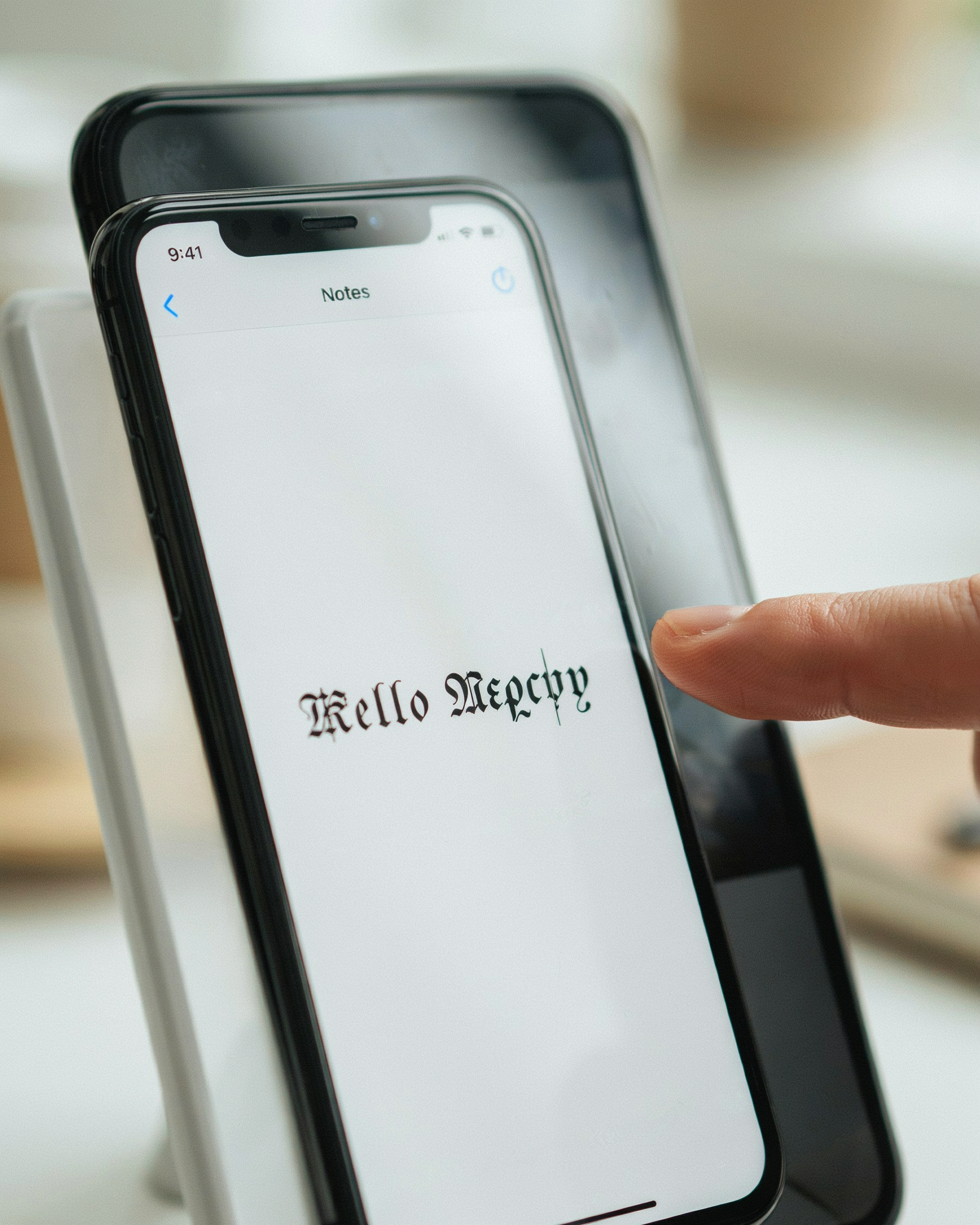
You don’t need to memorize any Unicode tables to get cool text into your PUBG profile. The whole process takes about a minute once you know the flow. Here’s the exact sequence we use.
- Open the generator. Head to PUBG Name Generator 2026 and type a base word into the box. Your actual name, a nickname, or a theme like “ghost” or “viper” all work.
- Pick a style. The tool shows dozens of variants instantly. Some add symbols around the word, others replace letters with lookalike characters from other alphabets. Scroll until one catches your eye.
- Tap to copy. Each result has a copy button. Tap it and the styled name goes to your clipboard. No manual character hunting.
- Open PUBG Mobile or BGMI. Go to your profile, tap the edit icon next to your current name, and paste. You’ll need a rename card if you’ve used your free change.
- Check the preview. PUBG shows the name before you confirm. If it looks broken or empty, the style probably uses characters the game blocks. Go back and pick a simpler variant.
- Confirm and test in a lobby. Join any match and look at your name on the kill feed. That’s the real test. Some fonts look great in the generator but render oddly in-game.
One thing we’ve learned: the fancier the style, the higher the chance of rejection. A name with two or three modified letters usually gets through. A name where every single character is from a different Unicode block often doesn’t. Start simple, then add flair.
If you want a deeper look at which styles actually survive PUBG’s filters, the Ultimate PUBG Name Style Font: How to Get Fancy Text guide breaks down the character sets that work. For now, the copy-paste loop above is all you need to get a working name today.
Character Limits and What Actually Fits
PUBG Mobile and BGMI both cap in-game names at 14 characters. That includes letters, numbers, spaces, and any special symbols you paste in. A name like “SniperKing2026” is exactly 14, so it fits, but “SniperKing2026X” gets cut off or rejected outright.
What happens when you exceed the limit? The game simply won’t save the name. You’ll get an error prompt and have to start over, which is annoying mid-match when your squad is waiting. Some players try to squeeze in extra characters by using narrow Unicode symbols, but the 14-character cap counts every glyph, not the visual width.
Here’s the practical part. Count your characters before you commit. Spaces count, so “Ghost Rider” uses 11 slots, not 10. Symbols from a Ultimate PUBG Name Style Font: How to Get Fancy Text guide often take up one slot each, but certain combining marks can stack invisibly and still register. Test the name in the game’s rename field first, because the preview there is the only accurate check.
One more tip: shorter names are easier for teammates to read in the kill feed. A 10-character name with one clean symbol usually beats a 14-character wall of glyphs. If you’re set on a longer phrase, trim filler words and keep the core identity.
Stylish Text for PUBG: Which Styles Work Best
Not every stylish text for pubg works the same way in the kill feed. Some styles read instantly at a glance, others slow the eye down just enough to get noticed. The best choice depends on what you want your name to do: intimidate, amuse, or simply look clean on the squad list.
Fancy text for pubg usually means Unicode characters that stand in for standard letters. A name like Shadow or 𝕊𝕙𝕒𝕕𝕠𝕨 uses fullwidth or double-struck glyphs that render fine in most PUBG Mobile and BGMI clients. These are the safest bet if you want a visible style shift without risking rejection. Weapon-inspired names take a different route: straightforward words like AWM_Whisper or M416_Reaper lean on game knowledge rather than typography.
| Style | Example | Readability | Rejection Risk |
|---|---|---|---|
| Fancy Unicode | 𝕊𝕙𝕒𝕕𝕠𝕨 | High | Low |
| Weapon-inspired | AWM_Whisper | Very high | Very low |
| Invisible name | (blank space) | None | Medium |
| Symbol-heavy | ꧁༒Shadow༒꧂ | Medium | Medium |
Invisible names are a different animal entirely. They use zero-width or non-breaking space characters, so the name field looks empty in the lobby and on the kill feed. It’s a neat trick, and our PUBG Invisible Name guide walks through the exact characters that work. The trade-off: friend requests get confusing when nobody can type your name.
Symbol-heavy styles like ꧁༒Shadow༒꧂ sit in the middle. They look great in a screenshot, but they can trip the game’s profanity filter if the symbol combination happens to match a blocked pattern. If you want something that survives every update, stick with fancy Unicode or a clean weapon-inspired handle. The Ultimate PUBG Name Style Font: How to Get Fancy Text page has copy-ready examples for each category.
Why Some Cool Text Names Get Rejected
You paste a stylish name, hit save, and PUBG throws an error. Annoying, right? Most rejections come down to three things: unsupported characters, length limits, and symbols the game’s name filter flags as invalid. PUBG Mobile and BGMI accept a narrower character set than most people expect. The game supports standard Latin letters, numbers, and a small set of punctuation like underscores and periods. Fancy Unicode glyphs from a cool text generator often look great in a browser but break the moment the game tries to render them.
Some symbols are outright blocked. Emoji, most mathematical symbols, and certain special characters from symbol libraries simply don’t pass the name validation. If your name contains a character the game doesn’t recognize, the save button stays greyed out or you get a generic “invalid name” message. The fix is simple: stick to characters you can type on a standard keyboard, plus a few safe symbols like the underscore or a single dot.
Length is the other common culprit. PUBG Mobile caps names at 14 characters, and BGMI follows the same limit. A long stylish text for pubg name with multiple decorative symbols can easily exceed that. Count every character, including spaces and symbols. If you’re at 16 or 17 characters, trim a symbol or shorten the base name. A short, clean name with one or two accents usually gets through. A cluttered one doesn’t.
One more thing: some players try to use invisible Unicode characters to create a blank or hidden name. The game’s filter has gotten better at catching these, and accounts using them can face temporary name resets. If you want a name that actually sticks, keep it simple. Test the name in a custom room or on a second account before committing your rename card.
Fancy Text for PUBG: Symbols, Fonts, and Special Characters
Fancy text for PUBG goes beyond swapping letters for lookalikes. The real work happens with Unicode symbols, which the game’s name field generally accepts even when it blocks emoji. Stars, arrows, crowns, and hearts render cleanly on most devices, while heavier symbols like chess pieces or zodiac signs sometimes show as blank boxes in the kill feed. If you want a name that survives on both Android and iOS, stick to the basic geometric set: ★, ✦, ☠, ♛, and the occasional ✧. Those are stable across versions because they sit inside the common Unicode blocks that every modern font ships with.
Font styling works differently than most players expect. There is no actual font selector inside PUBG Mobile or BGMI. What you are really doing is pasting characters from a different Unicode block, like fullwidth forms or mathematical alphanumerics, which look like bold or italic letters but are technically separate code points. The game renders them because the system font supports them, not because PUBG has a font menu. That distinction matters when a name looks perfect in your clipboard but breaks after you hit confirm.
One thing we learned the hard way: avoid combining too many symbol families in a single name. A handle with a star on the left, a crown in the middle, and an arrow on the right reads as cluttered in the lobby list, where the name sits at a small size. Two symbols maximum is usually the sweet spot. Also skip zero-width characters for spacing tricks unless you are copying from a tool that already tested them, because some invisible code points trigger the game’s profanity filter and silently strip your name. When you want a reliable starting point, a Ultimate PUBG Name Style Font: How to Get Fancy Text walkthrough shows which blocks survive the in-game renderer, and that saves a lot of trial and error.
Using pubgnamegenerator.net for Your Next Name
When you need a new handle fast, open pubgnamegenerator.net and type a base word into the box. Say you want something built around “ghost”. The tool returns a batch of ready-to-copy options, some with symbols, some with fancy fonts, and a few plain but sharp. Grab one, paste it into PUBG Mobile’s rename field, and check whether the game accepts every character. That check matters because the generator shows you what looks good, but the game decides what actually fits.
What’s nice is that the site doesn’t force one style on you. You can browse Cool Name Ideas for PUBG Mobile: 100+ Unique Handles by category, or jump straight to a Ultimate PUBG Name Style Font: How to Get Fancy Text page when you want a specific look. The Ultimate Stylish Name Generator: Create Cool Names for PUBG page is the one to point friends to when they want a full list in one place.
One habit that saves time: copy three or four candidates at once, then test them in-game before settling. Some symbols render fine in the lobby but break in the kill feed, and you won’t know until you try. If a name gets rejected, swap one character and test again. The tool makes that quick because every result is copy-and-paste ready.
For a deeper look at why some handles stand out more than others, the PUBG Unique Name: The Complete Guide to a One-of-a-Kind page covers the thinking behind memorable usernames. And when you want to browse without a plan, just open the PUBG Name Ideas section and scroll until something clicks.
Invisible Names and Other Advanced Tricks
An invisible name is exactly what it sounds like: a username that displays as blank space in the lobby and kill feed. Players create it by pasting a Unicode character that renders as zero-width, usually U+3164 (Hangul Filler) or a zero-width space. The game accepts the character because it’s technically a valid text symbol, but it shows nothing on screen. We cover the full method on our PUBG Invisible Name page if you want the copy-paste ready characters.
There’s a real trade-off here. An invisible name makes you harder to spot in the kill feed and can confuse enemies mid-fight, which is why some players love it. But it also makes you harder for teammates to identify, and blank names can draw extra attention from reporting systems. Krafton’s rules around invisible names have shifted over time, so treat it as a novelty, not a permanent identity.
Beyond invisible names, a few other advanced tricks are worth knowing. You can combine a short visible word with a zero-width character to create spacing that looks like a gap in your name, which some players use to fake a two-word handle. You can also stack diacritics on a single letter, like putting two acute accents on an “e,” to make it render slightly taller than normal text. These tricks work because PUBG Mobile renders most Unicode combining marks without rejecting the input.
One warning: don’t overdo it. A name that’s mostly invisible or full of stacked marks can look broken on other players’ devices, especially on lower-end phones where font rendering is inconsistent. The best advanced names keep one readable element, so people can still recognize you after the match. If you want to test how a trick looks before committing, paste it into a chat box first.
Frequently Asked Questions
Can I use cool text in my PUBG name?
Yes. PUBG Mobile and BGMI let you paste styled characters into the name field, so a cool text generator that outputs Unicode symbols and fancy letters works fine. The game renders most of them in lobbies and kill feeds. Some characters may not display on every device.
Will fancy text for PUBG get my account banned?
No. These are standard Unicode characters, not mods or cheats. Krafton does not ban accounts for styled names. The only risk is a name change rejection if you include unsupported symbols or exceed the character limit, which is easy to fix.
How many characters can a PUBG name have?
PUBG Mobile allows up to 14 characters for a name, while BGMI has the same limit. Symbols and spaces count toward that total. If you paste a long stylish name and it gets cut off, shorten the base text before adding decorations.
Why does my cool text name show as boxes or question marks?
That happens when a device does not have a font that supports the specific Unicode characters you used. Most modern phones handle common fancy fonts, but some rare symbols fail on older Android versions. Stick to widely supported styles from a reliable generator.
Can I change my PUBG name to cool text for free?
You get one free name change with a rename card, which is earned through events or the shop. After that, additional changes usually cost UC or require another rename card. The text styling itself is free when you copy it from a generator like pubgnamegenerator.net.