Ultimate Fonts Style for PUBG Names: How to Get Fancy Text
You can get fancy text in PUBG by copying Unicode characters from a generator and pasting them into the name field. The game doesn’t support real custom fonts, so a “fonts style” is really a set of lookalike symbols that render as stylish letters.
Key takeaways:
- PUBG names use Unicode symbols, not real fonts
- Fancy text is copy-and-paste ready from a generator
- Not every symbol shows up correctly in game
- You can mix symbols with normal letters for a cleaner look
What Is Fonts Style for PUBG Names?
A fonts style is a set of Unicode lookalike characters that replace plain letters in a PUBG name. A normal name like “Shadow” becomes “Shadow” or “ꜱʜᴀᴅᴏᴡ” when you paste in styled characters. The game treats these as regular text, so your name displays with the fancy appearance on the lobby screen, kill feed, and player list.
We use the term “fonts style” loosely. Technically, you aren’t changing a font at all. You’re replacing standard Latin characters with visually similar Unicode characters from other alphabets and symbol sets. That’s why a Fonts Style: How to Choose the Right Font for Your PUBG Name guide matters so much: the right character choices make a name readable, while the wrong ones turn it into a mess of boxes and question marks.
Pubgnamegenerator.net builds its generator around this Unicode approach. You type a normal name, and the tool returns dozens of styled versions instantly, each one ready to paste into PUBG Mobile or BGMI.
How Do Fancy Fonts Work in PUBG and BGMI?
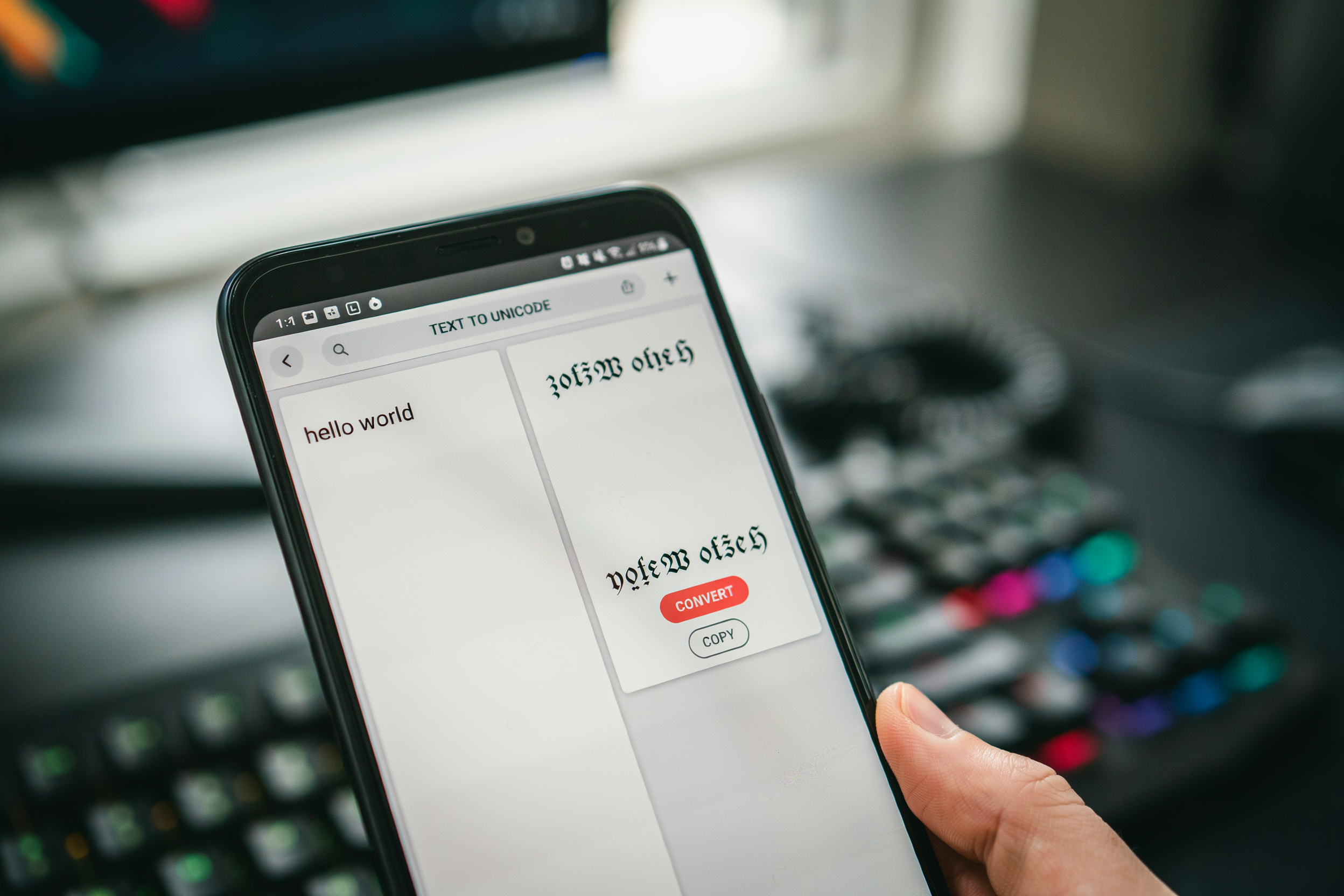
Fancy fonts in PUBG and BGMI are not real fonts at all. They are Unicode characters that look like styled letters. When you type a normal name, the game reads standard Latin characters. A Fonts Style: How to Choose the Right Font for Your PUBG Name guide explains this well, but the short version is that a pubg font style swaps those standard characters for lookalike symbols from other Unicode blocks.
For example, the letter “A” can be replaced with a mathematical bold capital A, a script A, or a circled A. PUBG Mobile and BGMI render these characters because their text engine supports the full Unicode range. The game does not load a separate font file. It simply draws whatever character code you typed, using its built-in fallback fonts.
That is why some fancy fonts show up perfectly in the lobby and kill feed, while others appear as empty boxes. If the game’s bundled fonts do not include a glyph for a particular Unicode character, you get a blank square instead of a stylish letter. The safest approach is to stick with characters from common blocks like Mathematical Alphanumeric Symbols, Letterlike Symbols, and Enclosed Alphanumerics. These are widely supported across Android and iOS devices.
A standard text font is just the default typeface the game uses for everyone. A pubg font style changes the visual weight and shape of individual letters without changing the underlying text. That is the whole trick. You are not installing a font. You are substituting characters that happen to look fancier.
Which Font Styles Look Best in a PUBG Name?
Some fonts style choices read clearly in the kill feed, and others turn into a jumble of boxes. The best PUBG font style is one you can actually read at a glance, because your name shows up small on mobile screens and in the post-match summary. Cursive scripts like 𝓢𝓬𝓻𝓲𝓹𝓽 look elegant but can be hard to parse when the action is fast. Bold gothic styles like 𝕲𝖔𝖙𝖍𝖎𝖈 hold up better in the lobby and on stream overlays.
Symbol-based names are the most popular category right now. Players combine a short word with symbols like ꧁ and ꧂, or they wrap a name in stars and arrows. A name like ꧁༒☬𝕯𝖗𝖆𝖌𝖔𝖓☬༒꧂ looks impressive, but it also takes up a lot of character space. PUBG caps names at 14 characters, so every symbol you add means fewer letters for the actual name.
Here is what actually works well in game, based on how the text renders:
| Font Style | Best For | Readability |
|---|---|---|
| Cursive script | Short, elegant names | Medium |
| Bold gothic | Aggressive, clan-style names | High |
| Symbol-framed | Standout names with borders | Medium |
| Small caps | Clean, minimal names | High |
A fancy font with too many flourishes can make your name unreadable in the kill feed, which defeats the purpose of having a stylish name in the first place. We usually recommend a bold gothic base with one or two symbols at the edges. That keeps the name legible while still looking distinct from the default text that most players use.
If you want to test how a font looks before committing, the PUBG Stylish Fonts page lets you preview different styles and copy the result straight into the game. That preview step saves you from wasting a rename card on a style that renders poorly on your device.
How to Create a Stylish PUBG Name Step by Step
Making a fancy font name for PUBG takes about two minutes once you know the flow. The process works the same on PUBG Mobile and BGMI, and you don’t need any special app installed on your phone. A browser tab and your game are enough.
- Open a stylish name tool. We use PUBG Name Generator 2026 because it shows the exact characters PUBG accepts, not just decorative text that breaks in game. Type your base name, like “Shadow” or “Viper”, into the input box.
- Pick a font style. The generator displays your name in several PUBG Stylish Fonts, including cursive, small caps, and bold variants. Tap the one you like. Avoid fonts that use emoji or private-use Unicode characters, because PUBG strips those out.
- Add symbols if you want them. Things like stars, crowns, or lightning bolts work, but only the symbols PUBG’s chat filter recognizes. The tool marks safe symbols separately, which saves you from a name that looks fine in preview and becomes question marks in game.
- Copy the finished name. Use the copy button rather than selecting the text by hand. Fancy fonts contain invisible formatting characters, and manual copying often drops them.
- Paste it into PUBG or BGMI. Open your profile, tap the rename option, and paste. If the game rejects the name, remove one symbol and try again. The rename card costs UC or requires an item, so test the name in a friend’s lobby chat first if you can.
PUBG allows up to 14 characters for a name, and BGMI uses the same limit. Spaces count as characters. A name like “S H A D O W” with spaces between letters eats up 11 slots before you add any symbols, so plan the spacing carefully. If your fancy font version comes out longer than 14 characters, shorten the base word or drop the symbols. Some font styles render each letter as multiple Unicode code points, which is why a six-letter name can still hit the cap.
One more thing worth knowing: you can change your name only with a rename card, and the card is consumed even if the name fails to save. Paste carefully, check the character count, and confirm the preview shows the font style you picked. A Ultimate Stylish Text Generator: Copy and Paste Fancy Fonts tool that shows a live character counter makes this step much less frustrating.
PUBG Font Style vs. BGMI Name Style: What Is the Difference?
PUBG Mobile and BGMI share the same underlying engine, so a pubg font style and a bgmi name style are nearly identical in how they render. Both versions accept Unicode symbols and special characters, and both cap player names at 14 characters. The difference is mostly regional: BGMI is the Indian version, and some symbols that display fine on global PUBG Mobile can look slightly different on certain Android devices in India because of local font packs.
One practical point: the Fonts Style: How to Choose the Right Font for Your PUBG Name guide covers this in depth, but the short version is that both games pull from your device’s system fonts. If a fancy font renders on your phone, it usually renders for other players on the same platform. Cross-platform play between Android and iOS is where small display gaps show up, especially with emoji-style symbols and rare Unicode blocks.
For most players, the practical takeaway is simple: test your stylish font on a friend’s device before locking it in. A name that looks sharp on your iOS screen might drop a symbol or two on an older Android phone. Pubgnamegenerator.net includes a preview tool that shows how a name looks with different fonts style options, which helps you catch those mismatches before you spend rename cards.
BGMI also enforces the same profanity filter as PUBG Mobile, so a bgmi name style that passes on one version will pass on the other. The real difference is not the game, it is the device and the font pack. Stick to common Unicode ranges like Latin extended letters and basic symbols, and your name will look consistent across both versions.
Cool Fonts and Symbols: What Actually Shows Up in Game
Cool fonts are only useful if the game engine renders them. PUBG Mobile and BGMI support a limited Unicode range, so a name that looks perfect in a browser preview can turn into empty boxes or question marks on the kill feed. The safest characters are Latin letters with diacritics, basic Greek and Cyrillic glyphs, and a small set of symbols like stars, hearts, and arrows. Fancy fonts built from mathematical alphanumeric symbols usually render, but some private-use characters do not.
We test every name we generate at PUBG Name Generator 2026 against the in-game character set before publishing it. That testing matters because PUBG’s font rendering differs from BGMI’s in a few edge cases, especially with combining marks and enclosed alphanumerics. A name that works on one platform can break on the other, so checking both is worth the extra minute.
The reliable symbol set includes ★ ☆ ✦ ♛ ♔ ☠ ✞ ❤ ➤ and a handful of others. Avoid emoji entirely: PUBG strips most emoji from names, and the ones that survive render as monochrome glyphs that look worse than a plain letter. Also avoid zero-width characters, which can make a name invisible in the lobby but trigger a rename prompt later.
Before you commit a name, paste it into a test match or a training lobby and check the kill feed, the squad list, and the spectate screen. If the name shows correctly in all three places, it will hold up in ranked play. If any character renders as a box, swap it for a plain letter from the same PUBG Stylish Fonts set and test again. A clean render beats a clever symbol that breaks.
Font Styles for Boys, Girls, and Clan Tags
Boys often lean toward sharp, aggressive fonts style choices: bold gothic lettering, angular shapes, and heavy symbols like skulls or crossed swords. A name like “REAPER” in a blocky blackletter font reads as intimidating, while adding a single symbol at the end keeps it clean. Girls frequently prefer cursive or rounded script fonts that feel elegant without being unreadable. Curly tails on letters like “y” and “g” add personality, and a small heart or star symbol works better than a wall of decorative characters.
Clan tags are a different problem. The tag sits before your name in brackets, so it needs to be short and instantly recognizable. Two to four characters is the sweet spot. A clan tag in a bold, condensed font reads clearly at a glance, even on a phone screen. Avoid mixing more than two font styles in a single tag, because the game’s rendering can break complex Unicode combinations into boxes.
When you build a name with a Fonts Style: How to Choose the Right Font for Your PUBG Name guide open, test the full string before you commit. The same stylish font that looks great on a desktop browser can turn into empty squares in the PUBG Mobile lobby. A good rule: if the font relies on more than two combining marks per character, it will probably fail in game.
For clan tags specifically, stick to standard Unicode letters with one accent or symbol at most. Tags like a simple crown or lightning bolt before two letters survive almost every update. Fancy font generators can preview this, but the only test that matters is pasting the tag into the game’s name field and checking the preview there.
Common Mistakes When Using Fancy Fonts in PUBG
We see the same errors over and over when players try to make their in-game name stand out. The most common one is using invisible characters to fake a blank name. PUBG Mobile and BGMI both filter most zero-width Unicode characters, so the name either shows as a string of boxes or gets rejected outright. If you want a clean look, use a short name with a single symbol instead of stacking invisible glyphs.
Unsupported symbols are another trap. Players copy a fancy font from a random site and paste it into the name field, only to see squares or question marks in the lobby. The game’s font set does not include every Unicode block, so some stylish font characters simply will not render. Stick to symbols that appear in the in-game chat preview before you confirm the change.
Name-change cooldowns catch people off guard too. In PUBG Mobile, you can change your name once every 24 hours using a Rename Card, and BGMI follows the same rule. If you burn your card on a name that breaks, you wait a full day to fix it. We always tell players to test the name in a note app first, then paste it into the game and check the preview carefully.
Another mistake is going too wide. Some fancy font styles add spacing or heavy decorations that make the name hard to read in the kill feed. Your squad needs to recognize you fast, and a name that looks like a wall of symbols slows that down. A clean pubg font style with one or two accents usually reads better than a fully decorated string.
Finally, do not copy names from screenshots without checking the characters. Some players use private Unicode ranges that only render on certain devices, so the name looks fine on their phone but broken on yours. Test on your own device before spending the Rename Card.
Using a Stylish Name Generator Without Getting Banned
We get this question a lot: will a fancy fonts style name get my PUBG or BGMI account banned? The short answer is no, not for the font itself. Krafton’s terms of service prohibit offensive names, impersonation, and names that break the character limit, but they don’t ban players just for using Unicode symbols or a stylish font. The game client simply renders whatever characters the system accepts.
That said, there is a real risk if you go overboard. Some players paste names full of invisible characters or zero-width spaces, and those can trigger a rename prompt or cause the name to display incorrectly on the kill feed. A PUBG Name Generator 2026 tool that filters out unsupported characters helps you avoid that mess, because it only outputs symbols the game actually renders.
The safest approach is to keep your name readable. A fancy font with one or two decorative symbols is fine. A name that looks like a glitch is the kind of thing that gets reported by other players, and reports are what actually lead to forced renames. We’ve seen clean stylish names survive for years without issue.
One more thing: don’t use a name that mimics an official PUBG or BGMI account, and don’t include hate speech or slurs even if they’re styled with cool fonts. The font doesn’t protect you from the content rules. If your name is clean, a stylish font is no more bannable than using a default name. Check the Fonts Style: How to Choose the Right Font for Your PUBG Name guide for a breakdown of which characters are safe to use, and you’ll be fine.
Frequently Asked Questions
Do fancy fonts actually work in PUBG Mobile?
Yes, most fancy fonts work in PUBG Mobile and BGMI because they use Unicode characters that the game renders normally. Some symbols show as empty boxes on certain devices, so test your name in a custom room before saving it. Stick to common Unicode ranges for the best results.
Can I use a stylish font in my BGMI name without getting banned?
Using Unicode fancy text in your BGMI name does not violate the game’s terms. Krafton bans players for cheats, not for decorative characters in names. As long as you don’t use third-party apps that modify game files, a stylish name from a web-based generator is safe.
Why does my fancy PUBG name show as blank boxes?
Blank boxes appear when your device or the game client doesn’t support certain Unicode symbols. Older Android versions and some emulators lack glyph coverage for rare characters. Choose fonts from the Latin and Greek Unicode blocks, which render reliably across almost all devices.
How do I copy and paste a stylish name into PUBG?
Generate your name on a site like PUBG Name Generator 2026, tap the copy button, then paste it into the rename field in PUBG or BGMI. The game accepts pasted Unicode text directly. If the paste fails, clear the field and try again.
What is the character limit for PUBG names?
PUBG Mobile allows up to 14 characters in a player name, and each fancy symbol counts as one character. BGMI has the same limit. Plan your name so the base text plus symbols stays under 14, or the game will reject it.