Name Generator for PUBG: Create Unique Names Instantly
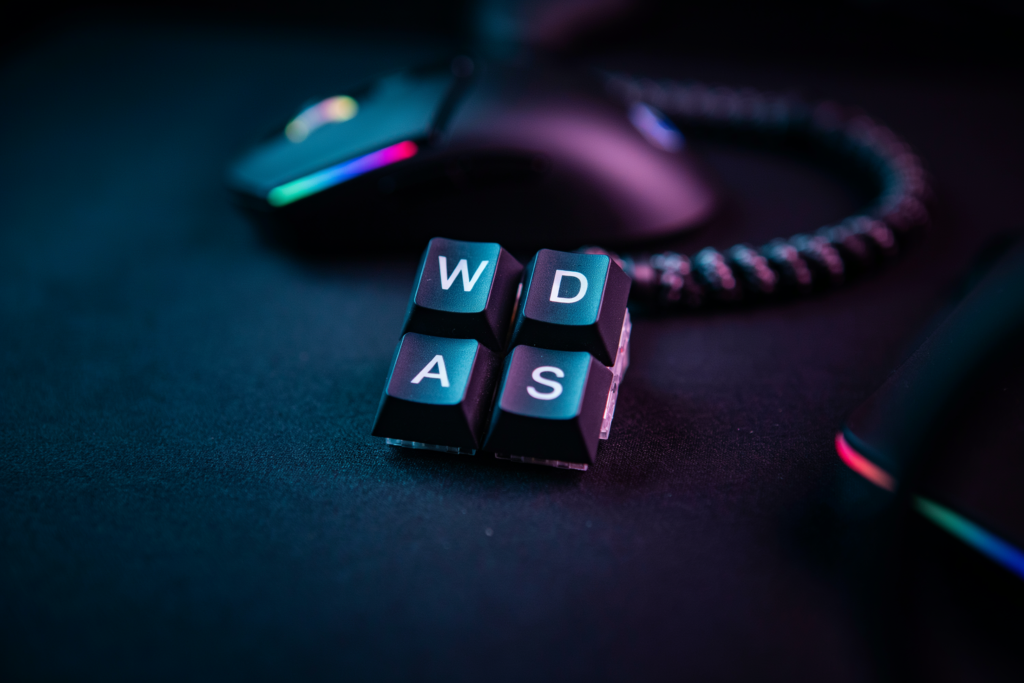
Finding a unique name in PUBG or BGMI is harder than it looks, because millions of players have already claimed the obvious ones. A name generator solves that problem by combining symbols, fonts, and word fragments into combinations you would not think of on your own. We built PUBG Name Generator 2026 as a free tool that gives you copy-and-paste-ready options in seconds, so you can stop typing rejected usernames and get back into the lobby.
Key takeaways
- A name generator produces stylish, symbol-rich PUBG and BGMI names instantly, without manual trial and error.
- The best generated names balance readability with visual flair, so teammates can still call you out in voice chat.
- Symbols and special characters work on mobile and desktop, but some fonts may not display correctly in every region or device.
- You can use a pubg name generator or bgmi name generator to create themed names, from cute to aggressive, depending on your playstyle.
- Always test a generated name in a custom lobby before committing, because a few Unicode symbols can break the in-game display.
Why a name generator beats brainstorming alone

Manual brainstorming hits a wall fast. PUBG Mobile caps names at 14 characters, and BGMI has its own limits. You sit there trying to fit a cool phrase into a tiny box, and half your ideas get rejected for length. Then you remember symbols and special characters, but figuring out which ones the game actually accepts takes trial and error. Multiply that by the millions of players who already grabbed the obvious names, and you’re left staring at a blank field.
A pubg name generator removes that friction. It already knows the character limits, the symbol rules, and the naming conventions that work in the game. You type a base word or pick a style, and it returns ready-to-copy options in seconds. A bgmi name generator does the same for the Indian version, where the player base is huge and the competition for short, memorable names is even tighter.
Generators also surface combinations you would not think of on your own. You might brainstorm “Shadow” and stop there. A generator pairs it with symbols, alternate fonts, or a second word like “ShadowX” or “Shadowツ” and suddenly you have five usable options. That is the real time saver: you skip the dead ends and go straight to names that fit the rules. For most players, that beats an hour of manual trial and error.
How a PUBG Name Generator Actually Works
You don’t need to understand the code to get a great result, but knowing the basic mechanics helps you use the tool better. Most name generators for PUBG follow the same simple flow: you type a base word or pick a style, the tool runs that input through a set of rules, and it spits out a list of ready-to-copy names. The base word can be anything from your real name to a favorite animal, a weapon, or a random word you like the sound of.
The real work happens in the combination layer. A How PUBG Name Generator Work page on our site walks through this in more detail, but the short version is that the tool pulls from banks of symbols, fonts, and special characters. It might take your base word and wrap it in brackets, add a crown symbol on each side, swap standard letters for Unicode lookalikes, or stack a few decorative marks above and below. Because PUBG Mobile and BGMI both accept a wide range of Unicode characters in player names, a good gaming name generator can produce hundreds of variations from a single input.
You then get a list of copy-ready names. Tap or click one, copy it, and paste it into the game’s name-change screen. No manual editing, no hunting through character maps. The tool does the fiddly part so you can focus on picking the one that feels right. If the first batch doesn’t click, change the base word or style and run it again. The output changes every time because the combinations are generated fresh, not pulled from a fixed list.
What makes a PUBG name worth keeping
A name that works in the kill feed is one you can read in half a second. When you knock someone or get knocked, the feed shows your name for a blink. If it’s a wall of symbols and mixed fonts, nobody registers it. A clean name like NightHawk lands instantly. Compare that to N̸i̸g̸h̸t̸H̸a̸w̸k̸, which looks clever in the lobby but turns into visual noise mid-fight.
Friends also need to type it. If your squad has to copy a string of Unicode characters just to invite you, that’s friction. The best names are short enough to type in the search bar without a second thought. A good nickname generator output usually keeps this balance: distinctive but not a chore to spell.
Distinctive doesn’t mean unreadable. You want something that stands out from the thousands of generic tags, but not so abstract that it loses meaning. “ViperStrike” reads as aggressive and clear. “V̸i̸p̸e̸r̸S̸t̸r̸i̸k̸e̸” just reads as a headache. The point is recognition, not decoration.
And keep it short. PUBG’s name field has limits, but even below those limits, a 20-character name feels clunky in the feed. Aim for something you can say out loud in one breath. That’s the practical test: if you’d hesitate to tell a teammate your name over voice chat, it’s probably too complicated.
Stylish names: symbols, fonts, and special characters
Stylish names lean on Unicode. PUBG Mobile and BGMI accept a wide range of symbols, from stars and crowns to arrows and musical notes, because the game renders text through a system font that supports them. A Ultimate Stylish Name Generator: Create Cool Names for PUBG pulls from this same Unicode set, so the output pastes cleanly into the rename field without breaking.
Font variants work differently. They aren’t new fonts at all. They’re characters from other Unicode blocks that happen to look like stylized letters, such as fullwidth forms, circled letters, or mathematical script. Because they’re real characters, the game treats them as normal text. That’s why a name like Shadow or ꧁༺𝕯𝖊𝖆𝖙𝖍༻꧂ survives the filter.
Some symbols cause trouble. Emoji usually fail in PUBG Mobile, and certain combining marks can make the name invisible or trigger a rename prompt. Stick to the common sets: stars, hearts, crowns, and simple line decorations. A random name generator that includes symbol options gives you a quick way to test what works, since each generated result is already formatted for the game’s input rules.
One practical tip: don’t stack more than two or three symbols around a name. A single crown on each side reads clean. Five different symbols reads like spam and makes the name harder to remember for teammates.
Cute and themed names for a softer look
Not every player wants to look like a squad leader with a name that screams for a fight. Some of us just want to smile when we see our own kill feed entry. A name generator handles this well because it can pull from a completely different word bank than the aggressive options. Instead of “ShadowReaper” or “HeadshotKing,” you get things like “BunnyBoop,” “PeachyKitten,” or “MochiMochi.” The tone shift is instant, and it changes how other players read you before the first bullet flies.
Themed names work the same way. Food names are popular: “TofuTactics,” “RamenRush,” “BobaFettish.” Animal names too: “SleepyPanda,” “GrumpyOtter,” “TinyTiger.” A Cute Font Generator: The Ultimate Guide to Adorable PUBG walks through the font side of this, showing how rounded symbols and soft characters make even a plain word feel gentler. The trick is pairing a soft word with a font that doesn’t fight it. A name like “Marshmallow” in a spiky gothic font looks confused. The same name in a rounded, bubbly style reads as intentional.
You don’t need to go full pastel. A cute name with a small edge, like “CupcakeCarnage” or “GlitterGrenade,” lands well because it’s unexpected. The contrast is the point. Most lobbies are full of dark, edgy tags, so a soft name stands out more than another “Xx_Death_xX.” That’s the practical side of it: cute names get remembered, and a remembered name gets friend requests.
Common mistakes players make with generated names
Most players don’t ruin a good name by being uncreative. They ruin it by rushing the final step. The generator gives you options, but the choice is still yours, and that’s where things slip.
Copying a name that’s already taken is the most common one. PUBG Mobile and BGMI don’t allow duplicate names in the same region, so if you paste a stylish name and the game rejects it, that’s usually why. A quick fix is to swap one symbol or add a number, but that often makes the name look worse than starting fresh.
- Using too many symbols so the name becomes unreadable. A name like “Xx_$m0k3_$n1p3r_xX” looks cluttered in the kill feed and is hard for teammates to call out.
- Choosing a name that’s hard to type in squad chat. If your friends can’t quickly type your name to tag you, you’ll get left out of callouts.
- Picking a name that’s too long. PUBG Mobile caps names at 14 characters, so longer ideas get cut off or rejected.
- Using special characters that don’t render on all devices. Some fonts show as blank boxes on certain phones, which defeats the purpose.
We see this a lot when players use a Ultimate Stylish Name Generator: Create Cool Names for PUBG and then pile on extra symbols without testing how the name reads in-game. The generator gives you a clean base. Adding one or two accents is fine. Adding five is where it falls apart.
The best test is simple: say the name out loud. If you can’t pronounce it, your squad can’t either. And if they can’t say it, they won’t use it.
How to pick the right style for your playstyle
Your in-game name is the first thing a squad sees before you drop into Erangel or Miramar, and it sets a tone. Rushers who push every fight usually want something sharp and aggressive. Short names with hard consonants work well here, like a two-syllable tag that sounds like a callout. Competitive players tend to prefer clean, readable names without symbols, because casters and teammates need to say them fast in a tense final circle.
Casual squads are different. A funny name or a playful pun fits the vibe when you’re running around with friends and nobody cares about rank. The PUBG Name Generator 2026 on pubgnamegenerator.net lets you filter styles, so you can pull aggressive, clean, or funny options without scrolling through hundreds of random results. We’ve found that matching the name to how you actually play makes the whole lobby feel more consistent, and it’s easier to remember who you are mid-match.
If you’re still unsure, pick a name that works in both ranked and casual lobbies. Something neutral but distinct, with maybe one special character, gives you flexibility. A name generator can give you a solid starting point in seconds, and you can tweak from there.
Using a name generator on mobile vs desktop
Most players open a PUBG Name Generator 2026 on their phone, because that’s where PUBG Mobile and BGMI actually live. The tool runs in a normal browser, so there’s no app to install and no special setup. You just open the page, pick a style or type a base word, and the names appear. On a desktop, the same steps work in Chrome, Firefox, or Edge, and the bigger screen makes it easier to compare several options side by side.
Copying a name on mobile is the part people worry about, but it’s simple. Tap the name you like and the site copies it to your clipboard. Then switch to PUBG Mobile or BGMI, go to your profile, tap the rename option, and paste. The whole flow takes under a minute. On desktop, you’d copy the name and paste it into the game’s rename field the same way, though most desktop players are running an emulator, and the paste shortcut works there too.
One real difference is how you browse styles. On a phone, the symbol-heavy and font-based names can look cramped until you paste them into the game, where they render correctly. On a desktop, you see the full effect sooner. Neither platform changes what the tool can generate, so pick whichever device you’re already using. If you’re mid-match on mobile, you don’t need to switch to a computer just to grab a fresh name.
Frequently Asked Questions
Is the name generator free to use?
Yes. Pubgnamegenerator.net is completely free, with no signup or payment wall. You can generate as many names as you want, copy them, and paste them straight into PUBG Mobile or BGMI without spending anything.
Can I use symbols and special characters in my PUBG name?
Yes. The tool supports stylish fonts, symbols, and special characters that PUBG Mobile and BGMI accept. Some rare Unicode symbols may not render in-game, so if a character shows as a blank box, swap it for a simpler one.
What if the name I want is already taken?
PUBG Mobile doesn’t require unique names the way some platforms do, but if a name feels overused, tweak it. Add a number, change one letter, or combine two short words. The generator gives you plenty of variations to work from.
Does this name generator work for BGMI too?
Yes. The same character rules apply in BGMI, so any name you create works across both games. If you mostly play BGMI, you can use the same tool and paste the result directly into your profile.
How many characters can a PUBG name have?
PUBG Mobile and BGMI allow up to 14 characters for a player name. Symbols and special characters count toward that limit, so if your styled name gets cut off, remove a symbol or shorten the base word.