Ultimate Username Ideas for PUBG: How to Create a Unique
A unique PUBG username is a short, memorable handle that reflects your playstyle or personality without relying on random numbers or unreadable symbols. Start with a base word you like, add a modifier that makes it yours, and test it out loud before you commit.
Key takeaways
- A good PUBG username is short, memorable, and easy to spell.
- Your username should match your playstyle or personality, not just sound cool in isolation.
- You can build a unique handle from scratch in under ten minutes using a few simple patterns.
- Symbols and special characters can help you stand out, but they can also make your name harder to find.
- Pubgnamegenerator.net offers a free tool that generates stylish, copy-and-paste-ready PUBG and BGMI names in seconds.
We’ve spent a lot of time testing name patterns and watching what actually sticks in PUBG Mobile and BGMI lobbies. The fastest way to land a unique username is to start with a core word that fits your style, then add a modifier that makes it yours. A generator can speed that up, but the best names still come from a small set of decisions you make yourself. This guide walks through those decisions so you can create a handle that feels right and stays available.
What Makes a PUBG Username Actually Good?
A good PUBG username is short enough to read in a kill feed, easy to type when someone searches for you, and personal enough that it doesn’t feel like a random string. Most strong handles sit between 6 and 12 characters. That length fits the in-game UI without forcing awkward abbreviations, and it’s still quick to type on a phone keyboard when a squadmate wants to add you.
Memorability matters more than cleverness. A name like “RustyScope” sticks because it pairs a concrete image with a weapon reference. A name like “Xx_ShadowSlayer_69xX” blends into the thousands of similar handles already on every server. The best names give other players something to react to, not something to scroll past.
Readability is the quiet filter. If your username needs three symbols to make sense, it probably fails the “say it out loud” test. Squadmates should be able to call your name over voice chat without spelling it. That’s why the strongest handles avoid number-for-letter swaps like “3” for “E” and skip decorative characters in the middle of words.
Uniqueness does real work in a game with millions of players. A distinctive username helps friends find you, makes your kill feed entries recognizable, and saves you from the awkward moment of discovering your name is already taken on a new server. The balance is simple: keep the style, but never trade away clarity. A handle that looks cool in a screenshot but confuses people in a lobby isn’t doing its job.
How to Build a Unique Username From Scratch
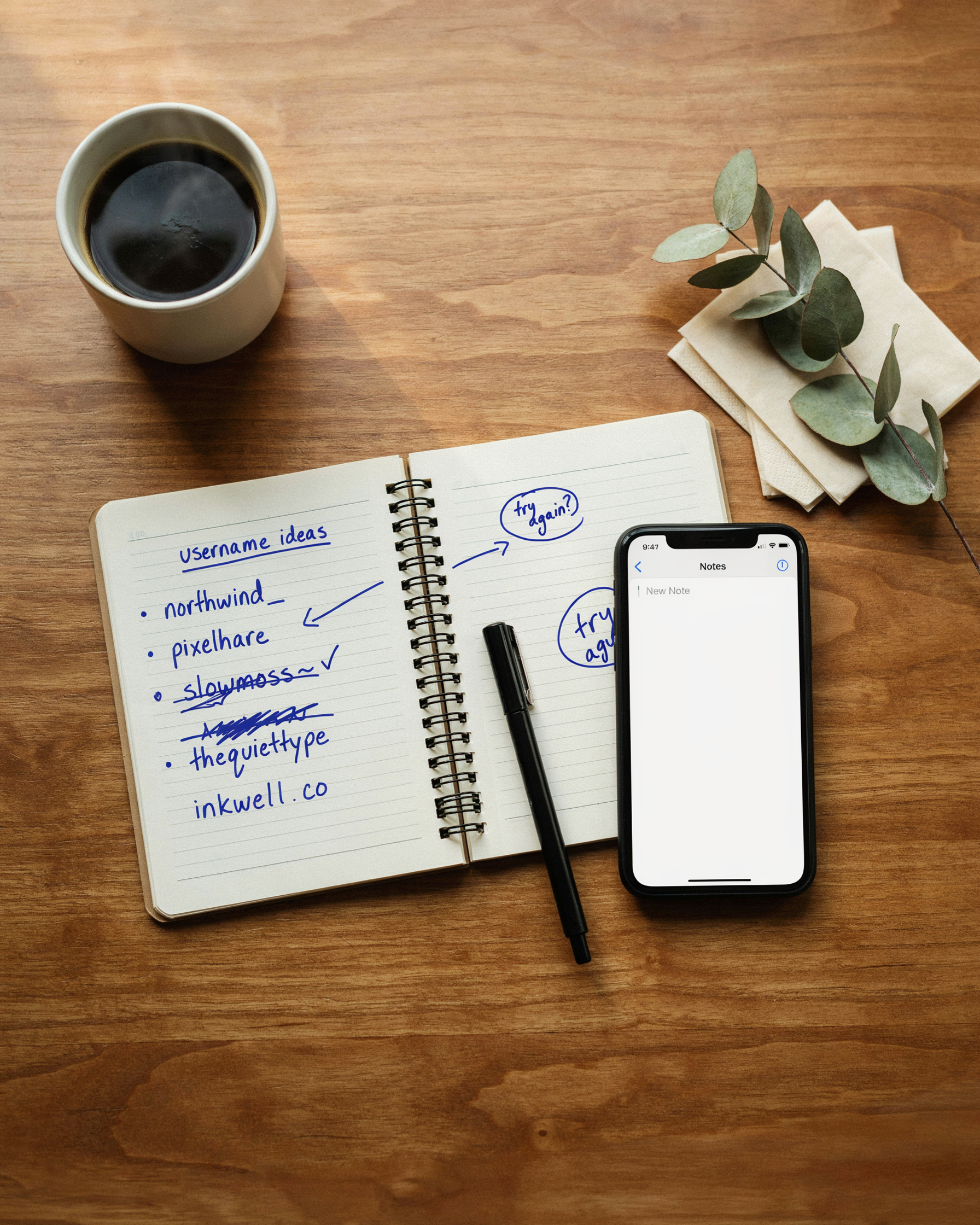
Building a username from scratch works best when you start with a base word that actually means something to you, then layer a modifier on top. The base can be a weapon you favor, an animal, a place, a food, or a mood. The modifier adds texture: a number, a short adjective, a verb, or a clan tag. This two-part structure keeps the name readable while making it yours.
Start with the base. If you always run an M416, “M416” is a fine base. If you prefer a stealthy drop into Pochinki, “Ghost” or “Shadow” works. Pick something you won’t get tired of seeing on the kill feed. Then add a modifier that changes the feel. “M416” plus “Silent” gives you SilentM416. “Ghost” plus “Rush” gives you GhostRush. The modifier should sit naturally next to the base, not fight it.
Symbols and special characters come last, and only if you need them. A clean name like SilentM416 already reads well. If the exact spelling is taken, try swapping a letter for a number that looks similar, like a zero for an O, or add a short clan tag at the front. But don’t stack symbols on every letter. A name like S1l3nt_M416 is harder to remember and harder for teammates to type when they want to add you.
Test the result out loud. Say it once, the way a teammate would call it over voice chat. If it takes more than a second to say, shorten it. If it sounds like a random string of characters, go back to the base and pick something cleaner. The best Ultimate Username Generator for PUBG: Find Your Unique names are the ones you can say without hesitating.
One more check: search the name in your head against the names you already see in lobbies. If it looks like a dozen other handles you’ve run into, change the modifier. A small tweak, like swapping “Pro” for “Calm” or “King” for “North”, often turns a generic name into one that stands out. The goal isn’t to be clever for its own sake. It’s to build a handle that feels like you and stays easy to use.
Pubg Username Ideas by Playstyle
Your playstyle says a lot about how you approach a match, and the best pubg username ideas lean into that identity instead of fighting it. An aggressive rusher wants a handle that feels fast and threatening. A sniper wants something cold and precise. A support player wants a name that signals reliability. A casual player just wants something fun that doesn’t take itself too seriously.
We’ve broken these down by the four playstyles we see most in PUBG Mobile and BGMI lobbies. Pick the category that matches how you actually play, then tweak the examples until they feel like yours.
Aggressive Rushers
Rushers live in close-quarters fights. They hot-drop, push buildings, and finish knocks before the enemy can react. A good aggressive username is short, punchy, and easy to shout in a squad callout. Think one or two syllables, hard consonants, and words that imply speed or violence without being cringey.
- RushKing
- CloseRange
- HotDropOnly
- NoLootNoFear
- PushAndPray
- EntryFragger
- FirstBlood
- CQBAddict
These work because they tell your squad what to expect before the plane even finishes its path. A name like RushKing doesn’t need explanation.
Snipers and Long-Range Players
Snipers are patient. They hold angles, rotate early, and wait for the perfect headshot. Their usernames should feel calm and precise. Words like scope, angle, silent, and ghost fit this playstyle well. Avoid anything loud or boastful, it clashes with the vibe.
- SilentScope
- OneTapOnly
- AngleHolder
- ColdBore
- LongLine
- ThirdPartySniper
- NoScopeNoHope
- PatientShot
A sniper handle like OneTapOnly sets a clear expectation. Your teammates know you’re the one watching the ridge, not the one sprinting into the compound.
Support and Team Players
Support players carry meds, drop ammo, revive downed teammates, and call rotations. Their usernames should signal that they’re reliable and team-first. Words like medic, revive, backup, and anchor fit naturally here.
- MedicMain
- ReviveBot
- BackupAlways
- TeamAnchor
- AmmoMule
- CoverFirst
- RotateCaller
- SecondChance
These names aren’t flashy, and that’s the point. A support player with a name like MedicMain tells the squad exactly who to call when things go sideways.
Casual and Fun Players
Casual players aren’t grinding rank. They’re here to have a good time, maybe with friends, maybe solo after work. Their usernames can be silly, self-deprecating, or just plain weird. The only rule is that it should make someone smile in the kill feed.
- PanOnly
- LootGoblin
- AFKButAlive
- BushWookie
- ChickenDinnerDreamer
- ZoneRunner
- NoScopeNoSkill
- LastAliveByLuck
These handles work because they don’t pretend to be something they’re not. A name like PanOnly is honest, funny, and instantly memorable when it shows up in the feed. For more ready-to-copy options across every playstyle, our Cool Name Ideas for PUBG Mobile: 100+ Unique Handles by category has you covered.
Cool Usernames for PUBG That Still Read Well
Cool usernames for pubg often fail for one simple reason: they look great in a screenshot but are impossible to say out loud. If your squad can’t call your name over voice chat, you’ve traded practicality for style. The best handles balance both.
Capitalization does most of the heavy lifting. “nightwolf” reads flat, but “NightWolf” has shape. Stick to one or two capital letters per name, usually at the start of each word. Overcapitalizing every letter makes a name feel desperate, and alternating case like “NiGhTwOlF” is a fast way to get muted.
Symbol placement follows the same rule. One symbol at the start or end, like “xNightWolf” or “NightWolf_7”, adds a clean edge. Two symbols max. When you stack three or more, the name stops being a handle and starts being a puzzle. The Ultimate Stylish Name Generator: Create Unique PUBG & BGMI tool shows how a single accent or underline can change the whole feel without wrecking readability.
Some players chase names that only work in a specific font, then discover the font doesn’t render on mobile. A name that shows as blank boxes on your friend’s screen isn’t cool, it’s broken. Test the name in plain text before you commit.
Short names with a strong consonant sound tend to stick. “Kraze”, “Vexo”, “Rukus”. They’re easy to shout across a chaotic final circle and they still look sharp on a kill feed. That’s the trade-off worth making.
Unique Username Ideas Using Your Own Name
Your real name is the easiest starting point for a handle that still feels personal. The trick is to reshape it, not just slap numbers on the end. Take a name like Arjun and push it sideways: ArjunFPS, ArjunOnSight, or ArjunWins. Each keeps the identity while adding a PUBG edge.
Initials work even harder because they’re short and punchy. If your name is Vikram Singh Rathore, VSR is already a strong base. Add a role or a mood: VSR_Sniper, VSR_Clutch, or VSR_NoScope. These read clean in the kill feed and are easy for squadmates to call out.
Nicknames give you more room to play. A friend called “Bunty” could run BuntyBoom, BuntyGG, or BuntyTakesLoot. The pattern is simple: nickname plus a verb or a game term. It sounds like a real person, not a random word generator.
If you want more Username Ideas With Your Name for PUBG Mobile and BGMI, the generator on pubgnamegenerator.net builds these patterns for you. You type your name once and it returns dozens of reshaped versions, each copy-and-paste ready.
One caution: avoid putting your full real name in a public handle. PUBG lobbies are full of strangers, and a full name makes you easier to find off-platform. Use a shortened form, an initial, or a nickname instead. That keeps the personal touch without giving away more than you should.
Gaming Usernames: What Works Across PUBG and BGMI
Gaming usernames follow the same core rules whether you play PUBG Mobile or BGMI. Short, readable, and easy to type in a lobby chat. Both games cap names at 14 characters, and both let you use letters, numbers, and a limited set of symbols. What reads well on one platform reads well on the other.
We see players overthink the switch. A handle that works in PUBG Mobile will almost always work in BGMI, because the audience overlaps heavily. The same Indian and Southeast Asian players dominate both leaderboards, so a name that lands with one crowd lands with the other. You don’t need a separate identity.
One practical difference: BGMI’s player base leans more toward Hindi and regional language wordplay. A name like DesiSniper or BhaiKaScope feels native there, while PUBG Mobile’s global servers reward cleaner English handles. If you play both, pick something that sits in the middle. Ultimate Gamertag Generator: Create Unique Gamertags gives you options that split the difference without sounding forced.
Character limits are identical, so don’t waste slots on filler. Every character should earn its place. A name like RushOrRotate tells teammates how you play, and it works in either game’s kill feed. That’s the bar: if it looks good in a BGMI squad wipe and a PUBG Mobile chicken dinner, keep it.
Switching between the two also means your friends list travels with you, at least in spirit. Use the same gaming username across both so squadmates recognize you instantly. Consistency beats cleverness when you’re mid-fight and someone needs to call your name fast.
Symbols, Fonts, and Special Characters: How Far Is Too Far?
PUBG lets you use a surprising range of symbols and Unicode characters in your username. Stars, arrows, crowns, and stylized letters all work, and they can make a handle pop in the kill feed. But the line between stylish and unreadable is thin, and crossing it usually hurts more than it helps.
We see this all the time with players who stack three or four symbols around a name. It looks busy, and other players can’t type it if they want to add you. A single well-placed symbol, like a crown before a short name or a star after it, reads as intentional. Two symbols can work if they frame the name symmetrically. Three or more almost always looks like clutter.
Unicode fonts are a different story. Fancy script letters and full-width characters render on most devices, but some Android keyboards and older phones show them as empty boxes. If your squad can’t read your name on their screen, you’ve traded recognition for decoration. Stick to symbols that render everywhere: stars, hearts, arrows, and basic punctuation marks are safe bets.
Readability matters more than uniqueness here. A username like “★Ghost★” still reads instantly. “★G̷h̷o̷s̷t̷★” does not, and the player on the other end of that kill will just call you “that weird name guy.” We’d rather you be remembered for the name itself.
One practical rule we follow: if you can’t say the name out loud without describing the symbols, it’s too far. “Crown Ghost” works. “Crown, star, weird G, star, crown” does not. Keep the handle clean enough to type, and save the heavy styling for your profile card instead.
Common Username Mistakes That Make You Look Generic
Most bad usernames aren’t bad because they’re offensive. They’re bad because they blend into a lobby of 99 other players who made the same choices. We see the same handful of mistakes over and over, and each one is easy to fix once you spot it.
The biggest offender is overused words. “Pro”, “Sniper”, “King”, “Legend”, “YT”, and “FF” get slapped onto thousands of handles every day. A name like ProSniperKing doesn’t tell anyone who you are, it just tells them you picked the first three words that sounded cool. Swap those for something specific to you, a weapon you actually main, a place you’re from, a playstyle quirk. Specific beats generic every time.
Random number strings are the second tell. A username like Alex47291 reads as “I tried Alex, it was taken, and I gave up.” Numbers can work when they mean something, a birth year, a jersey number, a squad number. But four or five random digits scream placeholder. If you need numbers, make them deliberate.
Unreadable symbols are a trap. A name built from half a dozen special characters might look stylish in a screenshot, but your squad can’t type it, opponents can’t report it cleanly, and it often renders differently across devices. One or two well-placed symbols can add flair. A wall of them makes you look like you’re hiding something.
Copying streamers is the fastest way to disappear. Adding “YT” or “FF” to a famous player’s name doesn’t borrow their skill, it just marks you as a fan with no identity of your own. Take inspiration from how they built a memorable handle, not the handle itself. The whole point of a username is that it’s yours, not a tribute act.
If you recognize yourself in any of these, don’t overcorrect. Fix the one mistake that’s most obvious, test the new name with a friend, and move on. A clean, specific username beats a clever one that nobody can read.
How to Check If a Username Is Available
Before you fall in love with a handle, you need to know whether it’s actually free. PUBG Mobile and BGMI both let you change your username, but neither shows live availability until you try to save it. The fastest check is to open the game, go to your profile, tap the edit icon next to your current name, and type the new one. If it’s taken, you’ll get an error right away.
We usually test a shortlist of five or six options in one sitting. Keep the list open in a notes app, then paste each candidate into the rename field. PUBG Mobile allows up to 12 characters for a username, while BGMI caps it at 14. Spaces count as characters, so a name like “Night Raider” uses 12 slots, not 11.
When your first choice is taken, don’t panic. Swap one letter for a number that looks similar, like a 3 for an E or a 0 for an O. Add a short prefix or suffix that fits your style, such as “x” or “_” if the game permits it. Some players also try the same base name with different capitalization, though PUBG treats most names as case-insensitive for availability.
If you want to check availability without logging in, Ultimate Username Generator for PUBG: Find Your Unique handle tool lets you generate and copy candidates before you open the app. That saves time when you’re testing ten or more ideas. Just remember that a name can be free today and gone tomorrow, so claim the one you want as soon as you confirm it works.
Using a Username Generator Without Losing Your Identity
A username generator is a starting point, not a final answer. We treat the suggestions from pubgnamegenerator.net as raw material: grab a base word you like, then swap in a number, a clan tag, or a personal reference that means something to you. The goal is a handle that still feels like yours after the generator has done its work.
Start by generating a batch of names and saving the three or four that catch your eye. Then edit them. Change the capitalization, add your birth year or a favorite weapon code, or merge two suggestions into one. A generated name like “ShadowStrike” becomes yours when it turns into “ShadowStrike_07” or “ShadowStrikeX” with your own squad prefix. The Ultimate Username Generator for PUBG: Find Your Unique tool gives you a base; the personalization is on you.
One trick we like: run the generator with a word that already matters to you, like your city, a pet’s name, or a favorite gun. The results stay grounded in something real, so the final username doesn’t feel random. You can also use the Username Ideas With Your Name for PUBG Mobile and BGMI approach to keep your actual name in the mix, which helps when friends need to find you quickly.
Avoid copying a generator result word-for-word. Popular suggestions get taken fast, and a copied name reads as lazy in the kill feed. Instead, treat the generator as a brainstorming partner: it supplies the structure, you supply the identity. That balance is what separates a forgettable handle from one your squad actually remembers.
Frequently Asked Questions
How do I change my PUBG username?
Open PUBG Mobile or BGMI, go to your profile, tap the edit icon next to your current name, and type the new one. You can change it once for free, but later changes cost UC or require a rename card. The name must follow the game’s length and character rules.
Are symbols and special characters allowed in PUBG usernames?
Yes, many symbols work, but not all of them. PUBG Mobile and BGMI accept certain Unicode characters like stars, hearts, and some stylized letters. If a symbol doesn’t render, the game usually rejects the name. Test it before you commit.
How many characters can a PUBG username have?
PUBG Mobile allows up to 14 characters for a username, including letters, numbers, and some symbols. BGMI follows a similar limit. If your name is too long, the game won’t let you save it, so keep the handle short enough to fit.
Can I use spaces in my PUBG username?
No, PUBG Mobile and BGMI do not allow spaces in usernames. Players often use underscores, dots, or symbols to separate words instead. A name like “Silent_Storm” reads well without breaking the rule.
How do I make my PUBG username unique?
Combine two unrelated words, add a number that means something to you, or use a stylized spelling of your own name. Avoid generic words like “pro” or “king” alone. A unique username sticks because it sounds personal, not copied from a list.
What makes a good PUBG username?
A good username is short, easy to read, and easy for teammates to call out in voice chat. It should reflect your playstyle or personality without being offensive. Names that are hard to pronounce get ignored in squad matches.
Why does my PUBG username matter?
Your username is the first thing other players see in the lobby and kill feed. A memorable name helps you build a reputation, and a confusing one makes you forgettable. It’s part of your in-game identity, just like your avatar and rank.
Can I copy a stylish username from a website?
Yes, you can copy a stylish name from a site like Pubgnamegenerator.net and paste it into the game’s name field. Just make sure the symbols are supported by PUBG Mobile or BGMI. Some fancy fonts use characters the game won’t accept.
What are some good username ideas for PUBG?
Try names based on your playstyle, like “RushNation” for aggressive players or “GhostScope” for snipers. You can also use your real name with a twist, like “AaravX” or “MayaSlays”. The best ideas feel personal, not random.
Is it worth using a username generator for PUBG?
A generator can spark ideas fast, but don’t copy the first result. Use it to see combinations you wouldn’t think of, then tweak one until it feels like you. The goal is a name that sounds like a person, not a template.